




 113 / 413

4/47
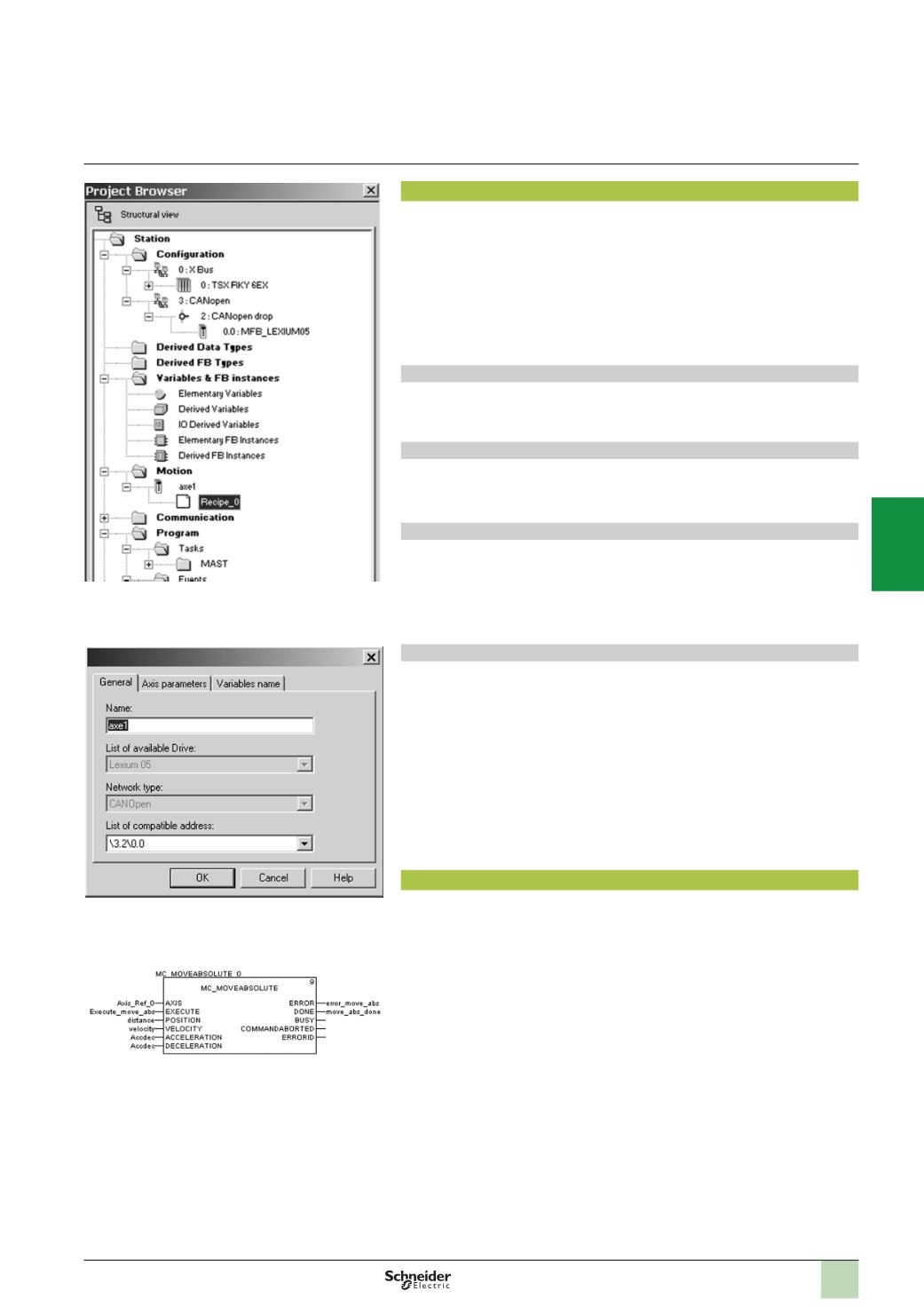
Motion Tree Manager integrated in the Unity Pro browser
General parameters: Axis name and address
MFB: Programming a movement in absolute mode
Setup
Motion Tree Manager
Motion Tree Manager
is associated with Unity Pro’s MFB library and integrated in its
browser. It provides specific assistance for:
b
Axis object management
b
Axis variable definition
b
Drive parameter management
Motion Tree Manager automatically creates links between the CANopen bus
configuration and the MFB function block data using a limited amount of
configuration data.
General axis parameters
In this tab, the designer is prompted to define:
b
The name of the axis that will identify it in the browser for the entire application
b
The address of the drive on the CANopen bus
Axis parameters
The drop-down lists in this tab are used to determine the exact type of drive: Family,
version.
Variable names
This last tab is used to identify data structures:
b
Axis_Reference
:
Used by all the instances of function blocks for the axis in
question
b
CAN_Handler
:
Used to manage communication with the drive via the CANopen
network
Recipe definition
The “recipes” attached to the axis are the data structures containing all the
adjustment parameters of a given drive. This data is used when:
b
Changing the drive with restoration of the context during
“
Faulty Device
Replacement”
(
FDR) maintenance
b
Changing the manufacturing program of the machine and calling up an
appropriate set of parameters: servo control gains, limitations, etc. adapted to the
weight and size of the moving parts
b
Saving parameters in the initial values of the PLC application
Programming, diagnostics and maintenance
Communication between the PLC and drive is automatically set up by the system as
soon as a TE_CAN_Handler instance is declared in the Unity Pro task with which the
axis is associated. Movements are then programmed by sequencing function blocks
from the library in the user's chosen Unity Pro editor (LD, ST, FBD).
The two function blocks, MC_ReadStatus, and in some cases MC_ReadAxisError,
are useful for determining the overall status of the axis, as well as the code of active
warnings or errors.
The function blocks TE_UploadDriveParam and TE_DownloadDriveParam allow the
application to save all the parameters of a drive (recipe) and to then quickly reload
them into another drive if the first one fails.
Modicon Premium automation
platform
0
MFB motion control
2
1
3
4
5
6
7
8
9
10