




 110 / 413

4/44
Software setup of TSX CSY 84/85/164 modules
When setting up application-specific functions, screens specific to the SERCOS
motion control function can be accessed via the Unity Pro or PL7 Junior/Pro software
for configuration, adjustment, debugging and documentation of applications. These
services are performed by editors which can be accessed directly from the basic
screen using icons in the toolbar. The windows of the editors can be displayed
simultaneously on one screen (example: it is possible to program using the program
editor and simultaneously define the symbols in the variables editor).
Declaring the SERCOS motion control module
Parameter entry for application-specific functions is easy to access from the
configuration screen by clicking on the slot occupied by the module.
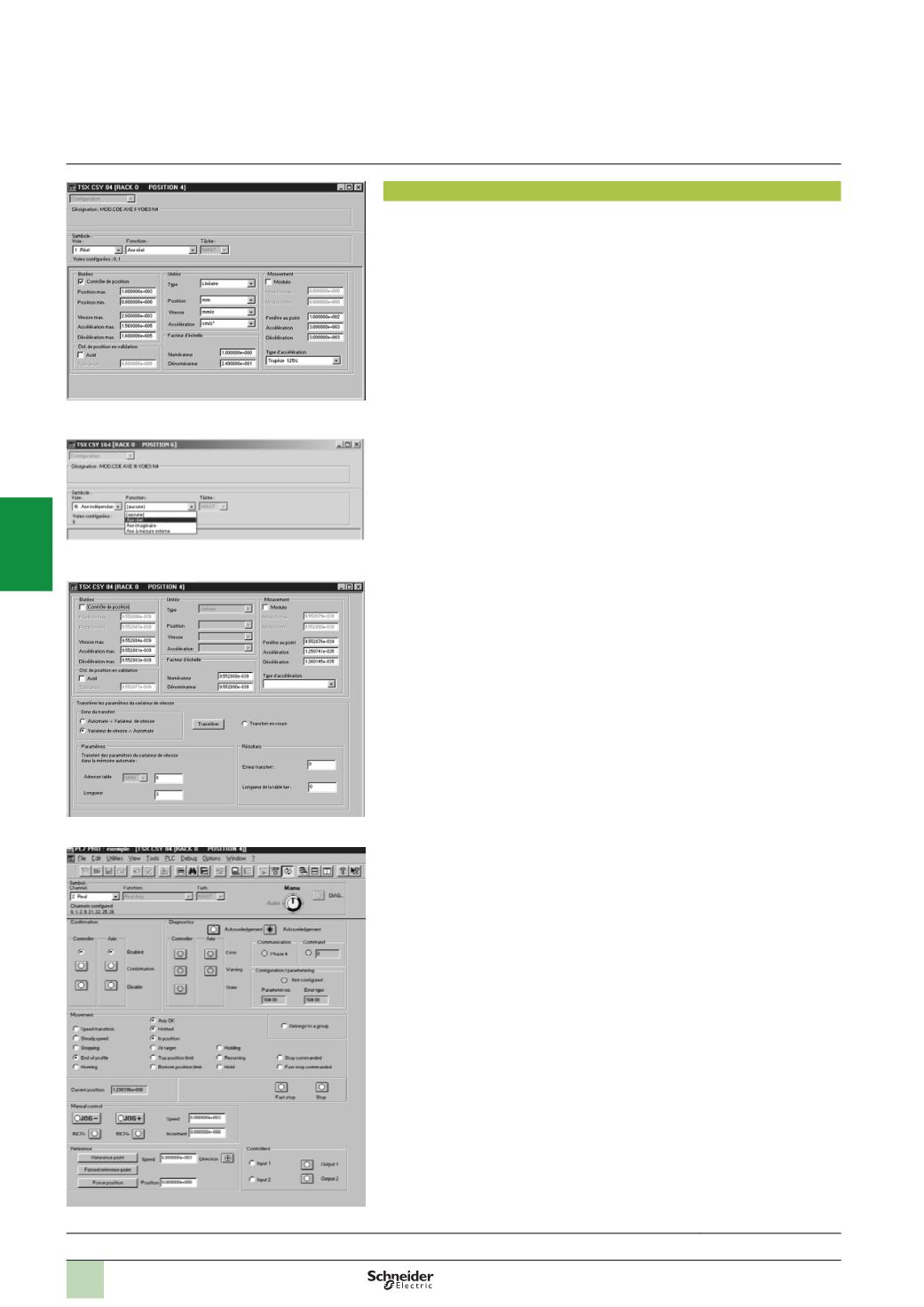
Configuring the module
The configuration editor provides assistance with entering and modifying the values
of the various axis configuration parameters. These parameters enable the operation
of the axis control module to be adapted to the machine to be controlled.
The axis configuration parameters are:
b
Units of measurement
b
Resolution
b
Maximum and minimum limit positions
b
Maximum speed
b
Acceleration/deceleration
This data relates to the machine and cannot be modified by the program.
The configuration screen shown here can be used to declare the 16 channels as real
axes, imaginary axes or remote axes for the TSX CSY 164 module.
Adjusting the modules
These parameters relate to the operation of the axes. They generally require
operations on and movements of the moving part to be known. These parameters are
adjusted in online mode (they are initialized during configuration, in offline mode).
They concern:
b
Maximum speed
b
Resolution
b
Servo control parameters
b
Acceleration/deceleration
Debugging the modules
In online mode,the debugging tool provides the user with a control panel screen,
giving a quick display that can be used to control and observe the behaviour of the
axis.
The TSX CSY 84/85/164 modules combined with Unity Pro or PL7 Junior/Pro
software provide manual mode for initiating (JOG) or incremental (INC) motion
commands, with no prior programming.
Presentation:
page 4/40
Description:
page 4/41
References:
page 4/45
Module configuration
Declaring the axes of the TSX CSY 164 module
Setting the axis parameters
Debugging in PL7 Pro software
Functions
(
continued)
Modicon Premium automation
platform
SERCOS TSX CSY 84/85/164
motion control modules
2
1
3
4
5
6
7
8
9
10