




 112 / 413

4/46
Presentation
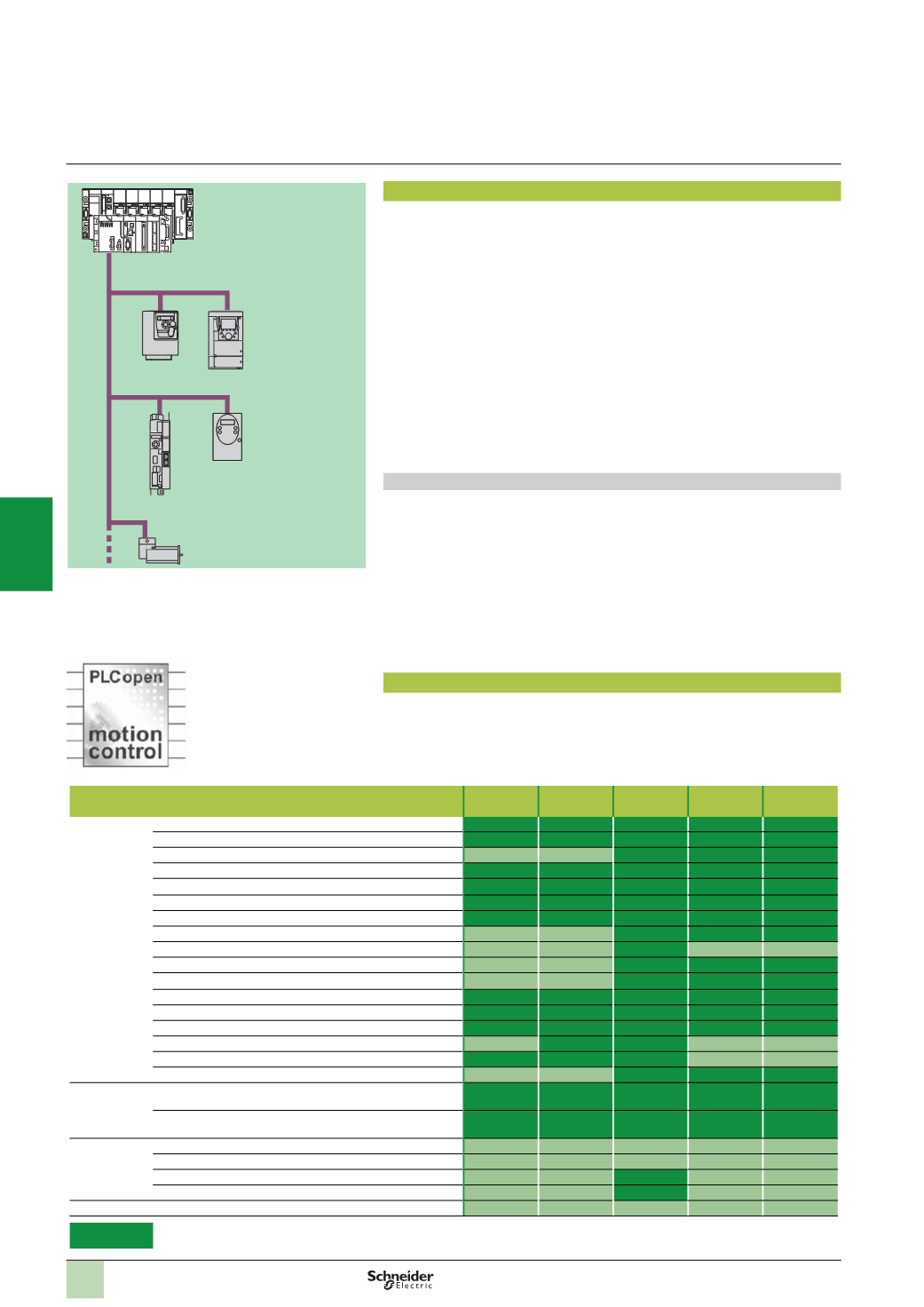
MFB
(
Motion Function Blocks)
is a library of function blocks integrated in Unity Pro
used to set up motion control in the architectures of drives and servo drives on
CANopen buses:
b
Altivar 312: For asynchronous motors from 0.18 to 15 kW
b
Altivar 71: For synchronous or asynchronous motors from 0.37 to 500 kW
b
Lexium 32: For servo motors from 0.15 to 7 kW
b
Lexium integrated drives ILA/ILE/ILS: For integrated motor drives from 0.10 to
0.35
kW
b
Lexium SD328A: For 3-phase stepper motors from 0,35 to 0,75 kW.
In compliance with PLCopen specifications, the MFB library allows both easy and
flexible motion programming with Unity Pro, as well as axis diagnosis.
In maintenance operations, drives can be replaced quickly and safely thanks to drive
parameter download blocks.-
Setting up drives on the CANopen network is facilitated through
Motion Tree
Manager
organization in the Unity Pro browser, making it easy for users to access
the application drives.
Applications
The features of the
Motion Function Blocks
library are particularly suitable for
machines with independent axes. In the case of these modular/special machines,
MFB function blocks are the perfect solution for controlling single axes. The following
are typical applications for this type of architecture:
b
Automatic storage/removal
b
Material handling
b
Palletizers/depalletizers
b
Conveyors
b
Packaging, simple label application
b
Grouping/ungrouping
b
Adjustment axes in flexible machines, etc.
Functions
The table below lists the function blocks of the MFB library and the drives compatible
with them. The prefix indicates the block family:
b
MC: Function block defined by the Motion Function Blocks PLC Open standard
b
TE: Function block specific to Schneider Electric products
b
Lxm: Function block specific to Lexium servo drives
Type
Function
Function block
Altivar 312 Altivar 71 Lexium 32 Lexium ILA/
ILE/ILS
Lexium
SD328A
Management
and motion
Read an internal parameter
MC_ReadParameter
Write an internal parameter
MC_WriteParameter
Read the current position
MC_ReadActualPosition
Read the instantaneous speed
MC_ReadActualVelocity
Acknowledge error messages
MC_Reset
Stop all active movement
MC_Stop
Axis coming to standstill
MC_Power
Movement to absolute position
MC_MoveAbsolute
Relative movement
MC_MoveRelative
Additional movement
MC_MoveAdditive
Homing
MC_Home
Movement at given speed
MC_MoveVelocity
Read diagnostic data
MC_ReadAxisError
Read servo drive status
MC_ReadStatus
Torque control
MC_TorqueControl
Read actual torque value
MC_ReadActualTorque
Manual control
MC_Jog
Save and
restore
parameters
(
FDR)
Read all parameters and store
in PLC memory
TE_UploadDriveParam
Write all parameters
from PLC memory
TE_DownloadDriveParam
Advanced
Lexium
functions
Read a motion task
Lxm_UploadMTask
Write a motion task
Lxm_DownloadMTask
Start a motion task
Lxm_StartMTask
(1)
Set the reduction ratio, signed
Lxm_GearPosS
(1)
System
Communication with the servo drive TE_CAN_Handler
Compatible
(1)
The Lxm_StartMTask and Lxm_GearPosS function blocks are only compatible with the
M type Lexium 32 (LXM 32M) servo drives.
MFB: Motion control distributed over CANopen
Altivar 312
Lexium 32
Lexium ILA/ILE/ILS
Altivar 71
CANopen
Modicon M340
Modicon Premium
Presentation,
functions
Modicon Premium automation
platform
0
MFB motion control
Lexium SD328A
2
1
3
4
5
6
7
8
9
10