




 116 / 413

4/50
Functions
The weighing module combined with its display unit constitutes a weight indicator.
The module incorporates numerous functions specific to weighing:
b
Continuous weight measurement (in g, kg, t, lb, oz, etc.) and flow calculation
(
weight variation)
b
Filtering of measurements using several methods (19 filtering options)
b
Device for tare and predefined tare
b
Automatic reset
b
Measurement stability control
b
Threshold control with extrapolation of cut-off point: positioning of local discrete
outputs to the nearest millisecond
b
Assisted calibration: the module calculates the zero point and the gradient
b
Calibration parameters saved in the module (EEPROM) and in the Premium
processor
b
Forced calibration: fast replacement of a faulty module and restart with the
previous calibration parameters
b
Locking of the configuration, sealing of the module and its connections to the load
cells and display unit
b
Continuous formatting and transmission of measurements to the PLC
b
Transmission of measurement validity data (validity, stability, net/gross, etc.)
b
Transmission of diagnostic data from the module and its connections
b
Configuration, calibration and debugging via Unity Pro or PL7 Junior/Pro screens
b
Most of the operating parameters can be modified, and most of the functions can
be executed by the PLC program
Setting up the weighing module
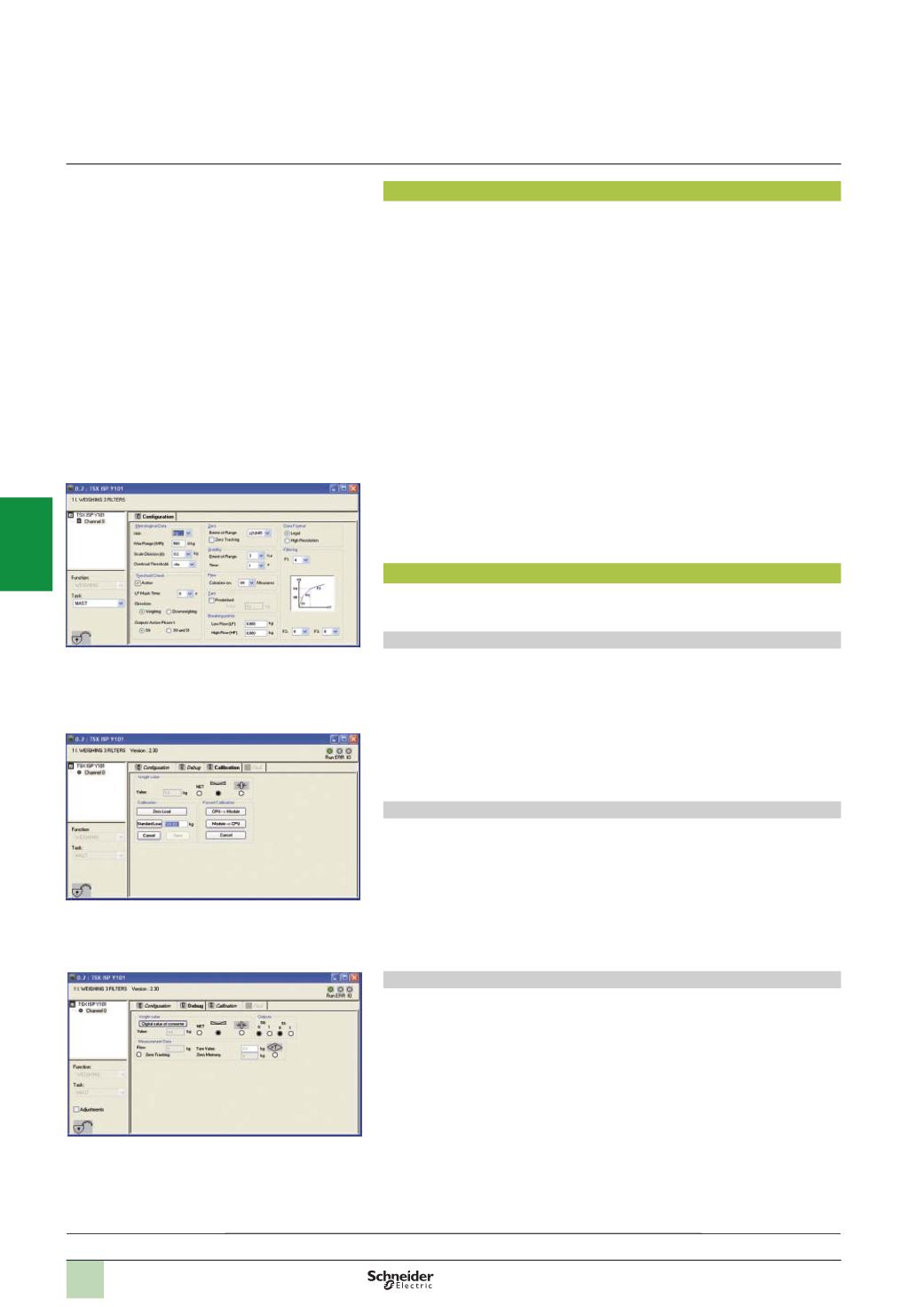
Unity Pro or PL7 Junior/Pro enables the complete setup of the weighing system
(
configuration, calibration and debugging).
Configuration
This covers:
b
The measuring information on the weigher
b
Filtering of measurements
b
The flow calculation method
b
The tare
b
The data format
b
Stability criteria and zero point management method
b
Threshold monitoring for positioning the discrete outputs
Calibrating the weigher
The module itself calculates the gain and the offset to be applied to the electronic
measurement system.
Calibration is carried out in two stages:
b
Measurement of the dead load
b
Measurement of a standard weight
Forced calibration enables the system to be restarted immediately in the event of a
module failure. The new module is configured automatically.
Debugging
The screen specifically for weighing provides a dynamic display of:
b
The measurement in progress
b
The operating state of the module
It also enables fast modification of the adjustment parameters (filter, flow, threshold
values, etc.)
Commands and parameters that can be modified by the program, transmitted
implicitly to the weighing module, are used to operate the module in language
specific to weighing.
These parameters and commands can be controlled from an operator dialogue
device and/or a supervisory device connected to the Premium PLC.
Configuration
Calibrating the weigher
Presentation:
pages 4/48 ...
Description:
page 4/49
References:
page 4/51
Debugging
Functions,
setup
Modicon Premiumautomation
platform
ISP
Plus
integrated weighing system
2
1
3
4
5
6
7
8
9
10