




 306 / 413

6/36
Functions
(
continued)
Software
Unity Pro software
User-definable process control
Configuring process control channels
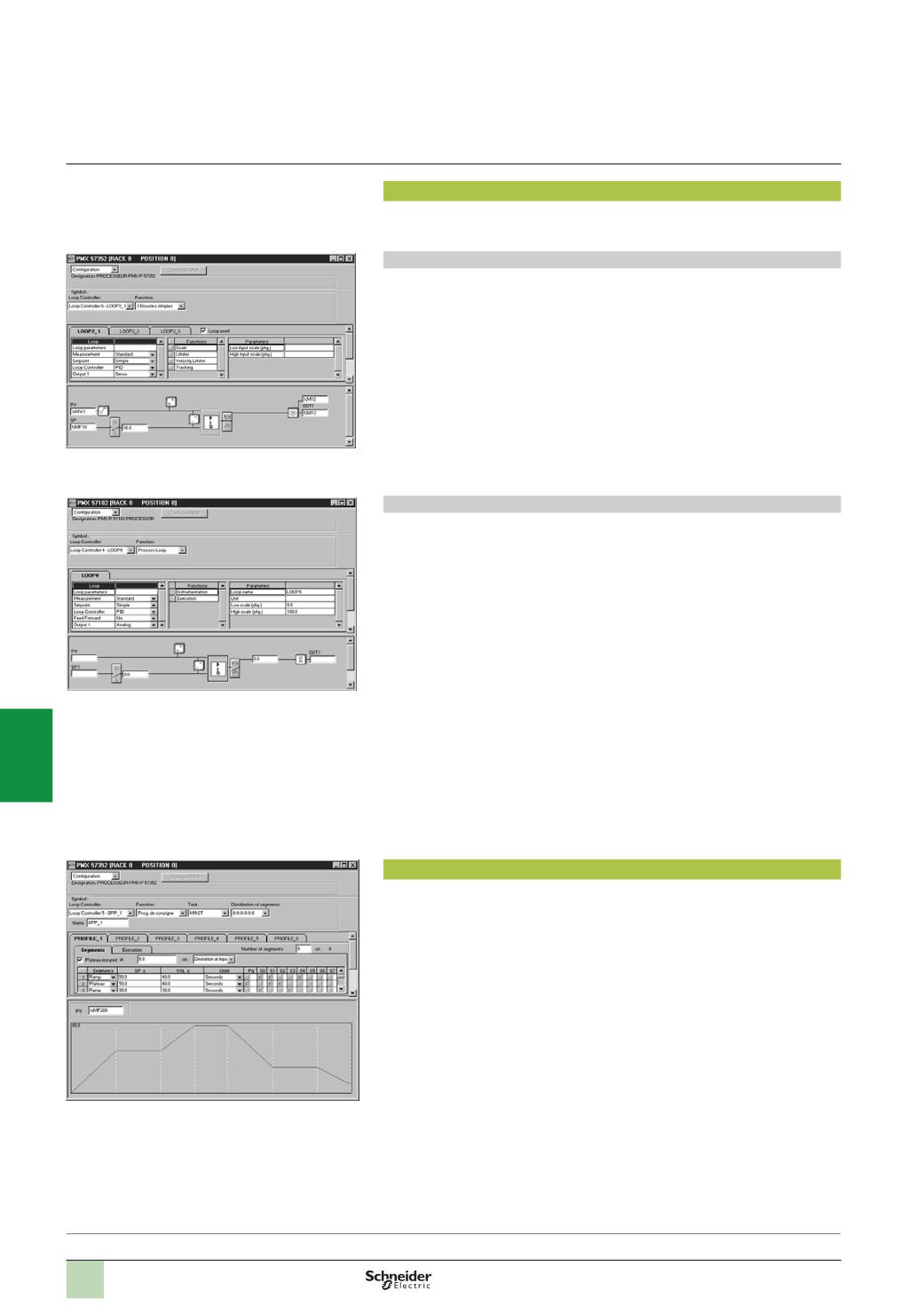
Special screens, accessible using Unity Pro software, can be used to configure
control loops.
Configuring process control channels:
The “Loops” interface in Premium processors simplifies configuration by offering
simple selections from menus:
b
The type of loop from 5 options
b
The choice of functions used in the 5 processing branches
b
The parameters linked to each of the functions
b
The assignment of PLC variables to the different loop branches (memory words,
input words or output words depending on the processing branch)
b
Automatic presymbolization of the variables used in loops
When configuring process, simple, autoselective and cascaded loops, default
parameter settings are offered. The various functions integrated in the algorithms
(
square root, function generator, etc.) and the initial value of each parameter are
predefined.
Example: Configuring a process loop
Once the type of loop has been chosen, its parameters can be set by selecting or
deselecting the options in the processing branches. No programming is therefore
necessary, the loop diagrams are enhanced or simplified as and when the parameters
are validated.
Opposite, selecting the PID controller enables display of the various valid parameters
for this type of controller (KP, TI, TD, etc.).
In the case of the setpoint programmer, the different profiles (6 maximum) are
configured via a table defining each segment.
After selecting the type of segment (ramp or dwell step), its configuration consists of
defining the setpoint to be reached (with the ramp) and the duration (for the ramp or
dwell step).
As selections are made, the bottom of the screen displays the profile with the setpoint
limit values.
This screen can also be used to define the cycles for this profile: Execution once, a
certain number of times or looped continuously (32,767 times maximum).
Executing process control channels
The sampling period for the loops is predefined at 300 ms. This defines the controller
processing period in automatic mode. It is possible to modify this period in the loop
configuration screen.
All the I/O and the parameters of the various configured process control channels
can be accessed by the user at program level or via the various Unity Pro software
tools (especially language editors and animation tables).
Defining profile cycles
Configuring process control channels
Configuring a process loop
Presentation:
pages 6/32 …
2
1
3
4
5
6
7
8
9
10