




 311 / 413

6/41
Functions
(
continued)
Debugging tools
PL7 Micro/Junior/Pro software offers a complete set of tools for debugging
applications. A tool palette provides direct access to the main functions:
b
Setting breakpoints
b
Step-by-step program execution
b
Independent execution of the master (MAST), fast (FAST) and event-triggered
(
EVTi) tasks
Other functions available are:
b
Animation of program elements when the PLC is in RUN
b
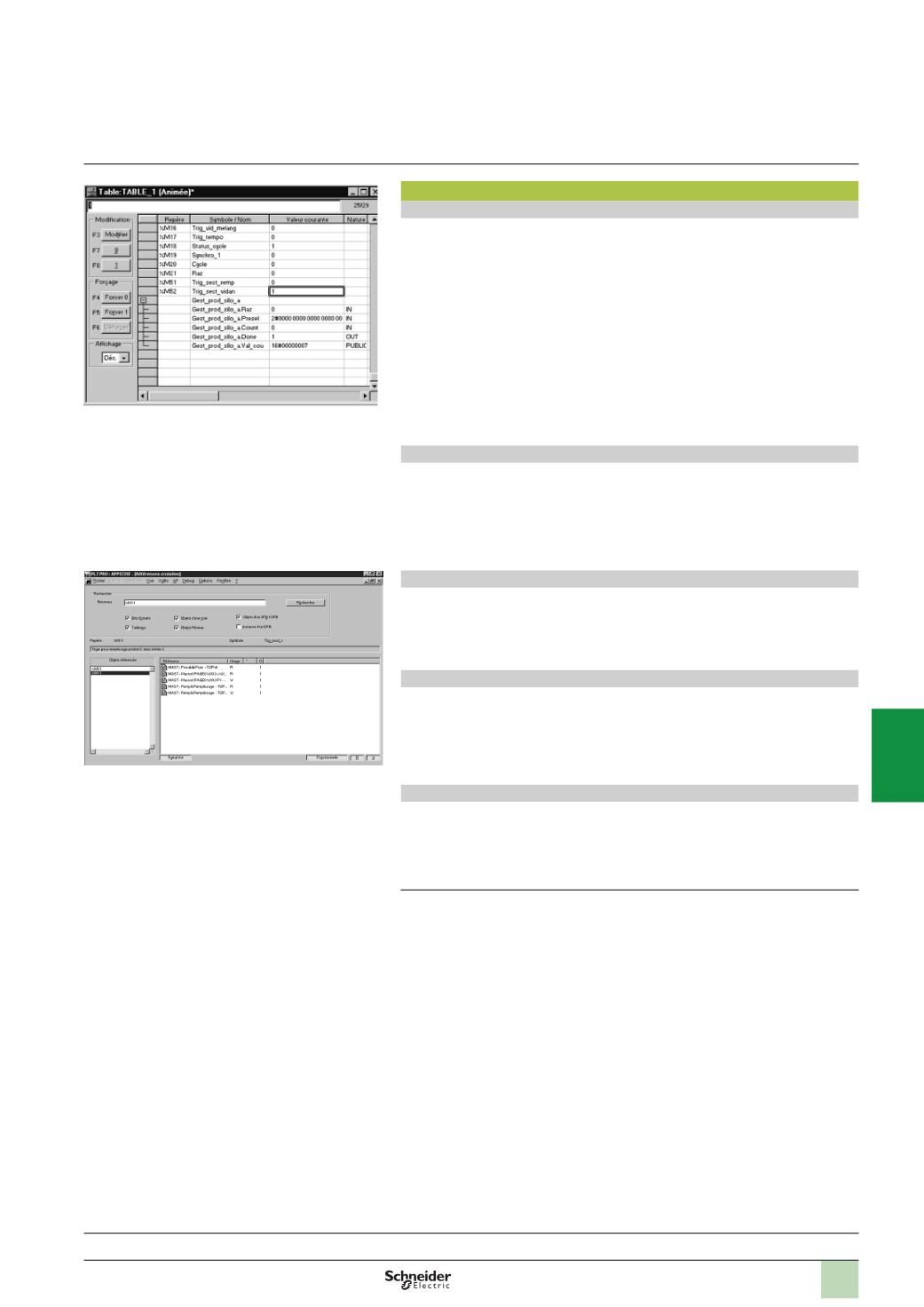
Creation of animation tables containing the parameters or variables to be
monitored or modified
b
Debugging of DFB function blocks via the animation tables
b
Debugging of Grafcets in online mode
b
Debugging of application-specific functions
b
Access to general diagnostics of the modules or of each channel
(1)
Diagnostics integrated in Modicon Premium platforms
The diagnostics offer for the Premium platform is based on three components:
b
System diagnostics
b
Diagnostic function blocks (DFBs), for system and application diagnostics
b
Error message display system, called viewers, supplied as a standard component
of Advanced Panel Magelis XBT G
p
,
Magelis
i
PC Panel PC/BOX PC with Vijeo
Designer/Monitor Pro software and PL7 Pro programming software.
Cross-referencing of variables
For every variable, this function can be used to:
b
Search for program modules where this variable is used
b
Obtain the list of statements, rungs or expressions
b
Display and check activation conditions
Application converters
PL7 Micro/Junior/Pro software includes application converters which enable the
reusing of all or part of previous applications written in:
b
PL7 2, applications for TSX 17, TSX 27 or TSX 47 10/20/25 PLCs
b
PL7 3
(2)
,
applications for TSX/PMX 47…TSX/PMX 107 PLCs
b
ORPHEE
(2)
,
applications for April Series 1000 PLCs
X-Way communication drivers
Uni-Telway COM port and USB port (PC side) communication drivers are available
on the PL7 software CD-ROM.
Depending on the user’s needs, other drivers may be necessary. In this case, please
consult our website
www.schneider-electric.comand download the drivers available.
(1)
Using
u
PL7 software V4.0 extends the system diagnostics of the Premium platform. The
system bits and words can be monitored as well as automatic displaying of associated
time-stamped messages, without any additional programming. This monitoring is of the
system elements (processor, memory, tasks, etc.), “In rack” I/O and remote I/O on Fipio bus.
(2)
Function or feature requiring PL7 Junior/Pro software.
Functions
(
continued)
Software
5
PL7 software
PL7 Micro/Junior/Pro
Animation table
Cross-referencing of variables
References:
pages 6/42 ...
2
1
3
4
5
6
7
8
9
10