




 222 / 413

5/88
Software setup
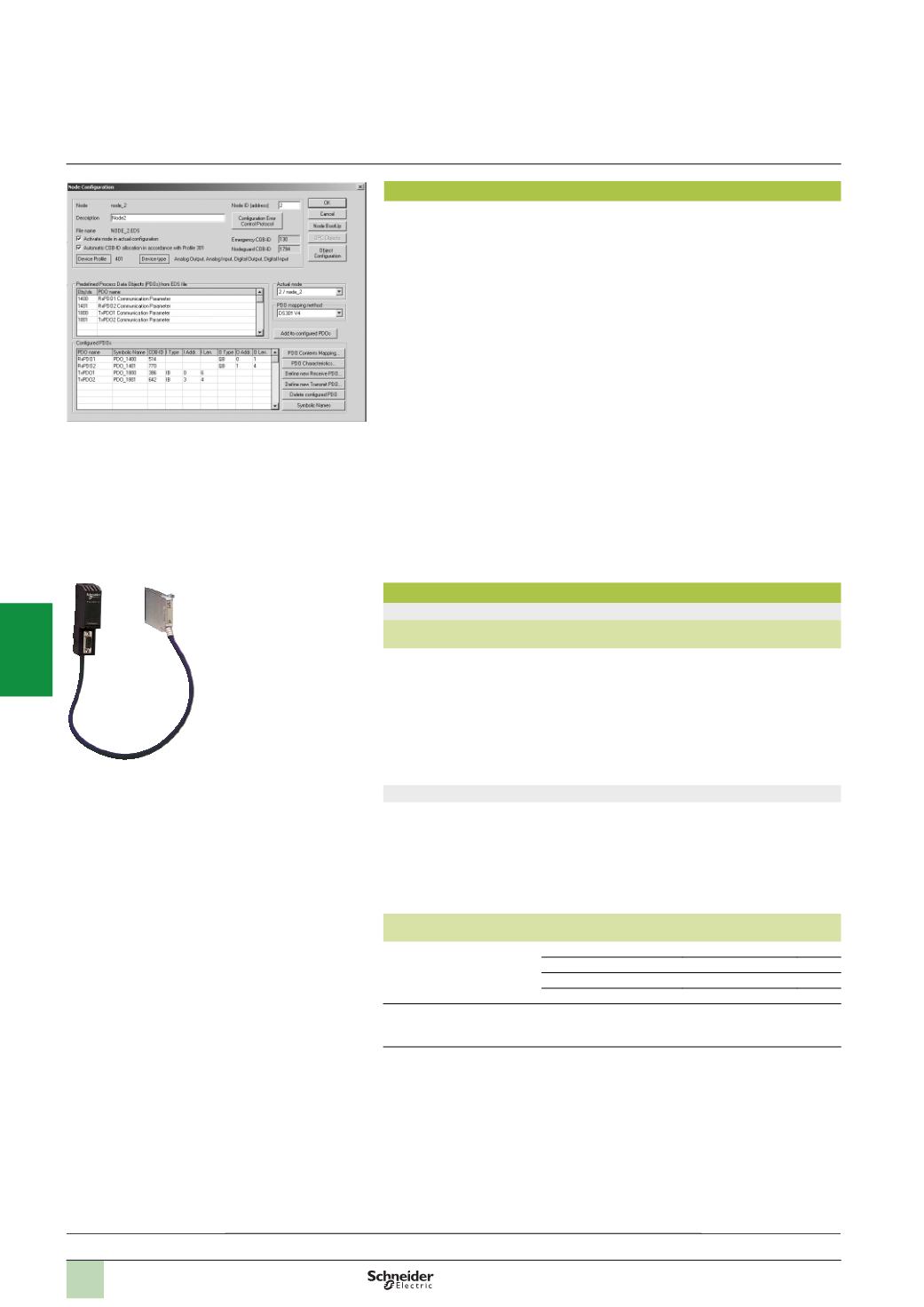
The CANopen bus is configured using SyCon
(1)
software, reference
SYC SPU LF
p
CD2AM
(
to be ordered separately). This software is used to:
b
Describe all the devices connected on the bus
b
Generate a “.CO” file containing all the information relating to the connected
devices. This extension file is imported into the PLC application via the PL7 Micro/
Junior/Pro or Unity Pro programming software
(2)
.
If the configuration file is too large for the capacity of the host PLC processor (see
characteristics below), it is possible to load the CANopen master configuration
directly onto the
TSX CPP 110
card via a type III PCMCIA port on the PC on which
the SyCon software is installed.
With the PL7 Micro/Junior/Pro or Unity Pro software
(2)
the CANopen bus card can
be configured so that the exchanges between the PLC processor and the
TSX CPP 110
card are executed at the same rate as the master task or the fast task.
The process data exchanged with the slaves can be accessed using %MW standard
words, the number of which depends on the type of processor and the task in which
the module has been declared. PL7 Micro/Junior/Pro or Unity Pro
(2)
standard
function blocks are used to set the parameters of the devices.
Note:
In addition to supporting the CANopen protocol which uses V2.0A standard CAN
identifiers on 11 bits, the card enables direct access to the CAN link layer via V2.0B CAN
identifiers on 29 bits, used by the majority of CAN devices. In certain applications this enables
simultaneous control of CANopen devices and specific CAN products.
References
CANopen machine bus assembly
Description Services
No. of modules
per PLC/PC
Use
Reference
Weight
kg
CANopen
master V4.02
PCMCIA card
(
type III)
-
Cyclic
exchanges
(
PDO)
-
CMS
message
handling (SDO)
-
Management
of bus operating
modes
1
on Micro
TSX 37 21/22
1
on Premium
TSX P57
(3)
Supplied
with tap
junction and
cable length
0.5
m
TSX CPP 110
0.230
SyCon configuration software
SyCon software is the configurator for Schneider Electric machine buses and
fieldbuses. It supports the following buses:
b
CANopen for Modicon TSX Micro and Modicon Premium platforms
b
Profibus DP for Modicon Premium and Modicon Quantum platforms
b
I
NTER
B
US
for Modicon Quantum platform
It includes the device description files for Schneider Electric I/O modules.
Description
Licence type
Reference
Weight
kg
SyCon V2.10 configuration
software licences
Single (1 station)
SYC SPU LFU CD2AM
–
Group (3 stations)
SYC SPU LFG CD2AM
–
Team (10 stations)
SYC SPU LFT CD2AM
–
Site (> 10 stations)
SYC SPU LFF CD2AM
–
SyCon V2.10 configuration
software update
Single (1 station)
SYC SPU LRU CD2AM
–
(1)
The SyCon configuration software can also be used to describe the I/O configuration of the
Profibus DP bus for the Modicon Premium and Modicon Quantum platforms and the I/O
configuration of the I
NTER
B
US
bus for the Modicon Quantum platform.
(2)
PL7 Micro/Junior/Pro: compatible with the Modicon TSX Micro and Modicon Premium
platforms
Unity Pro: compatible with the Modicon M340, Modicon Premium and Modicon Quantum
platforms.
(3)
Not permitted on
TSX P57 154M
Premium processor.
TSX CPP 110
Presentation:
page 5/86
Description:
page 5/87
Wiring system:
page 5/89
References:
pages 5/90 ...
Software setup,
references
Modicon Premium automation
platform
0
CANopen machine and installation bus
Example of SyCon device configuration screen
2
1
3
4
5
6
7
8
9
10