




 228 / 413

5/94
Software setup
Modicon Premium automation
platform
4
Master module for AS-Interface cabling system
Software setup
The AS-Interface cabling system is configured using Unity Pro or PL7 Micro/Junior/
Pro software. The services offered are based on the principle of simplicity:
b
Management of profile tables, parameters and data by the master (transparent for
the user)
b
Topological I/O addressing: any AS-Interface slave declared on the line is
assigned a topological address on the line, in a way that is transparent for the user
b
Each AS-Interface sensor/actuator is seen by the Modicon TSX Micro/Premium
PLC in the same way as any in-rack I/O
AS-Interface cabling system configuration
All the devices on the AS-Interface line are configured implicitly, guided by the
following sequence of screens:
b
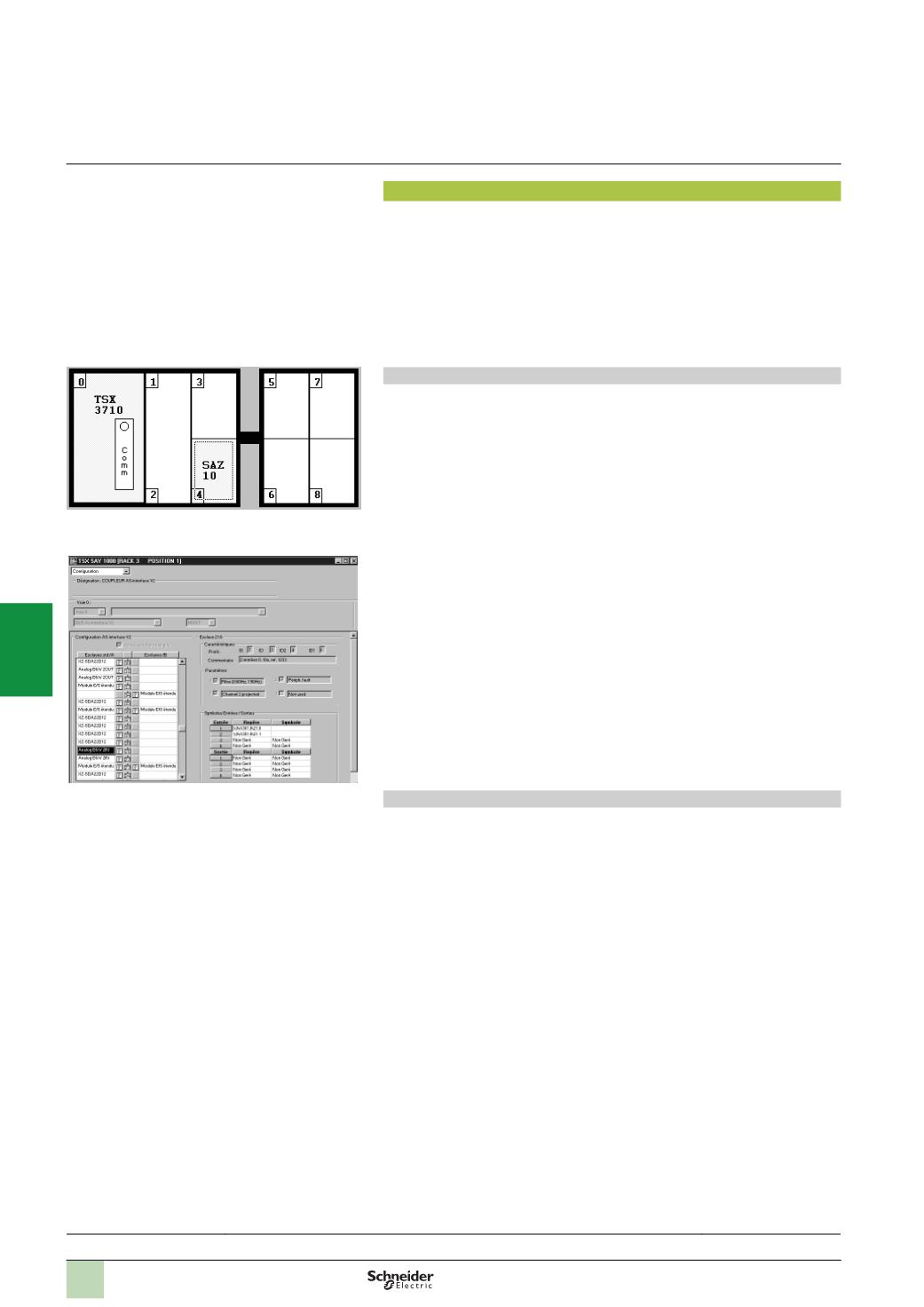
Declaration of the AS-Interface line master module
v
The
TSX SAZ 10
module is always inserted and declared in position no. 4 on the
Modicon TSX Micro TSX 37 10/21/22 automation platform
v
The
TSX SAY 1000
module can be inserted in any position on the Modicon
Premium automation platform (except for the positions reserved for the processors
and power supplies)
b
Configuration of AS-Interface slave modules
From the declaration screen, it is possible to configure all the slave devices
corresponding to all the I/O of the interfaces present on the AS-Interface line. This
configuration consists of the following for each device, to be defined as appropriate:
v
Schneider Electric AS-Interface device
The user selects the reference of the AS-Interface device from the various discrete,
analog or safety interfaces in the catalogue. This selection automatically determines
the AS-Interface profile and parameters associated with each interface.
v
Third party AS-Interface device
Using Unity Pro or PL7 Micro/Junior/Pro software, the user can manage a “private”
list of sensors/actuators of various brands. This list, specifying the AS-Interface
profile and parameters, is created and added to according to the user's requirements.
Programming
After configuration, the I/O connected to the AS-Interface line are processed by the
application program in the same way as any other of the PLC's in-rack I/O, using
either their addresses (eg: %I\4.0\16.2, input 2 on slave 16 on the AS-Interface line),
or their associated symbols (eg: Start_conveyor).
The use of DFB user function blocks, specific to AS-Interface line diagnostics and
integrated in the Unity Pro or PL7 Junior/Pro software, enables a fault on a line,
device, or if it is present
ASI SAFEMON
p
safety monitor, to be diagnosed.
Declaration of the TSX SAZ 10 TSX Micro master module
Configuration of AS-Interface slave devices in the TSX SAY
1000
Premium module
Presentation:
page 5/92
Cabling system:
page 5/96
References:
pages 5/93 and 5/97
2
1
3
4
5
6
7
8
9
10