




 220 / 413

5/86
Presentation
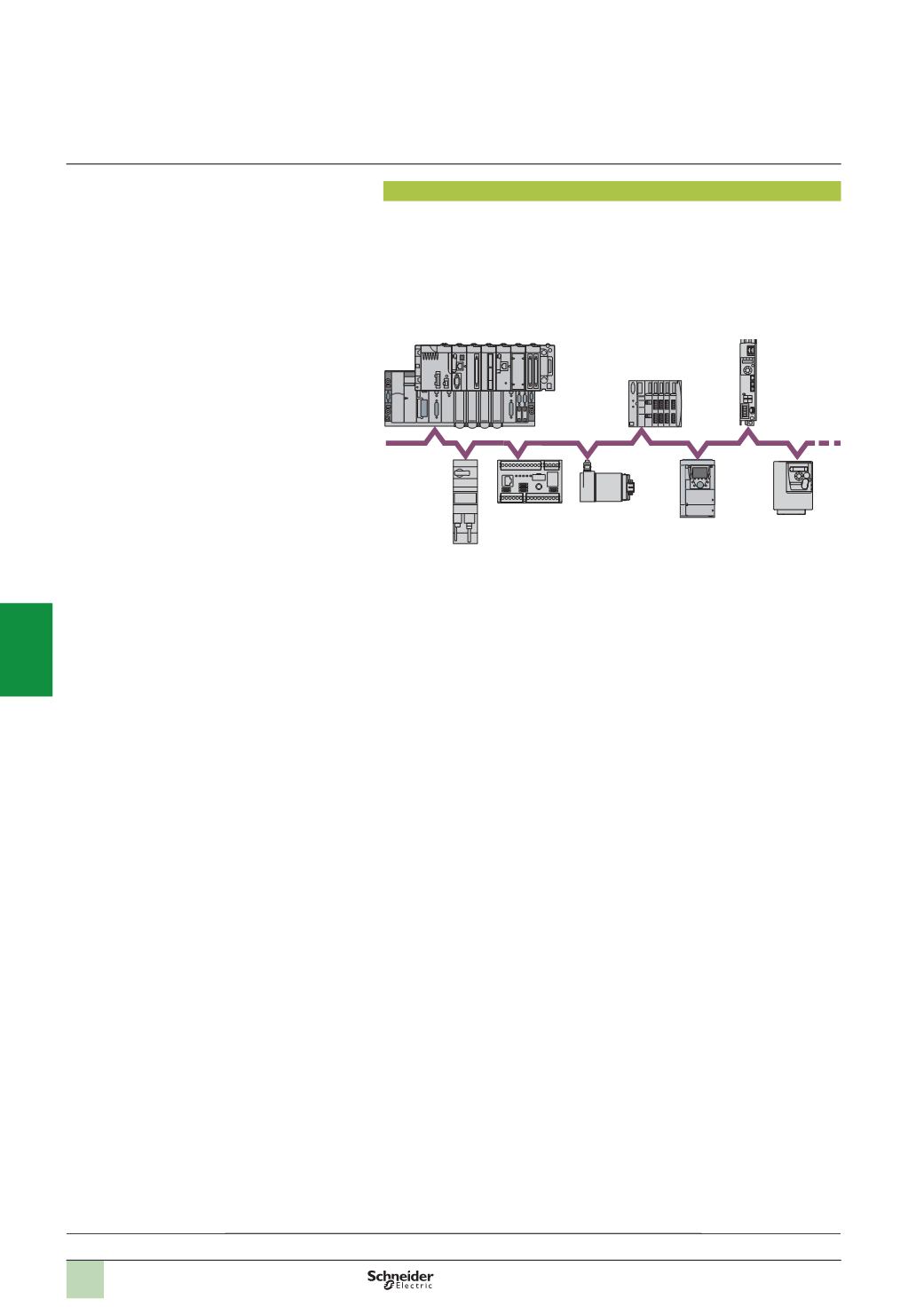
TeSys U
Osicoder
Altivar 71
1
to 63
slaves
Premium
Modicon M340
CANopen bus
Modicon STB
Lexium 32
Altivar 312
TeSys T
Modicon Premium automation
platform
0
CANopen machine and installation bus
Presentation
Originally used in the automotive industry, CAN is increasingly used in industry.
There are several fieldbuses based on CAN base layers and components. The
CANopen bus conforms to the ISO 11898 international standard, promoted by the
CAN in Automation association, a grouping of users and manufacturers, and
guarantees a high degree of openness and interoperability due to its communication
profiles and its standardized equipment.
The CANopen bus is a multi-master bus providing reliable, deterministic access to
real-time data in control system devices. The CSMA/CA protocol is based on
broadcast exchanges, sent cyclically or on an event, ensuring optimum use of the
bandwidth. Amessage handling channel can also be used to set the parameters of
slave devices.
The bus uses a double shielded twisted pair on which a maximum of 127 devices
can be connected by daisy chaining.
The data rate, which varies between 1 Mbps and 20 Kbps, depends on the length of
the bus (between 20 m and 2500 m).
Each end of the bus must be fitted with a line terminator.
The CANopen bus is a set of profiles on CAN systems, possessing the following
characteristics:
b
Open bus system
b
Data exchanges in real time without overloading the protocol
b
Modular design allowing modification of size
b
Interconnection and interchangeability of devices
b
Standardized configuration of networks
b
Access to all device parameters
b
Synchronization and circulation of data from cyclic and/or event-controlled
processes (short system response time)
b
Interoperability between numerous international manufacturers
Description:
page 5/87
Software setup:
page 5/88
Wiring system:
page 5/89
References:
pages 5/90 ...
2
1
3
4
5
6
7
8
9
10