



 133 / 253

Automation products
2010
CA08103002Z-EN
www.eaton.comVisualization
14/17
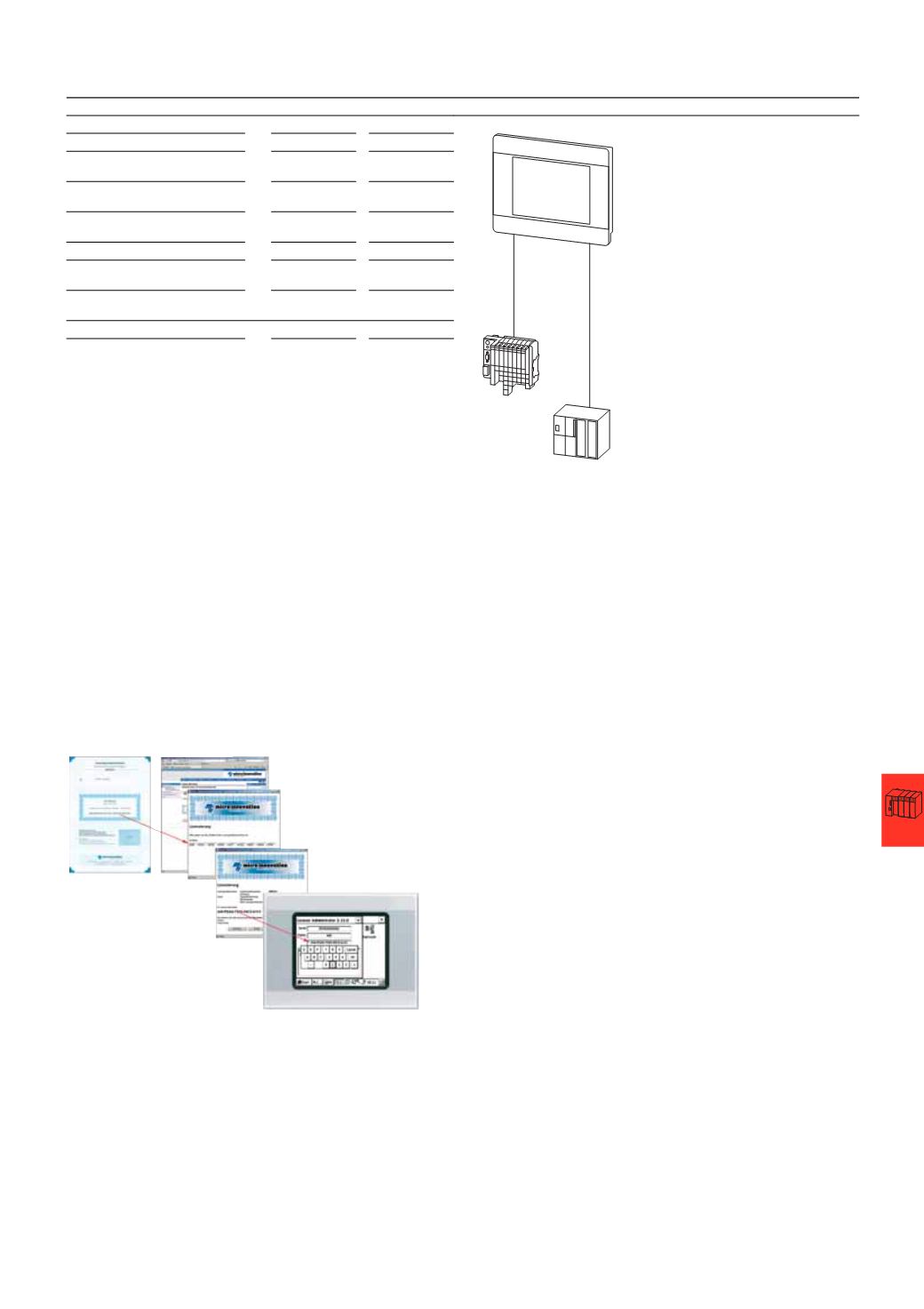
Redeeming a license product certificate (XV100, XV200, XV400, XVS400, XVH300)
1
Order the required license product certificate.
2
Keep the following information available:
–
Certificate number of license product certificate
–
The serial number of your device
–
Your e-mail address
3
On the Micro Innovation website (
www.microinnovation.com/license), select menu item “Validate License” and click [Start Licensing].
4
In the new window that opens, enter your certificate number. The license product certificate is associated with a specific device through its serial number.
The website generates a license code, which is immediately shown on the web page.
5
Enter the license code in your device:
–
On the device, select [Start] > [Programs] > [Control Panel].
–
Double-click the Licence icon.
–
Enter the license code with the License Administrator tool (Change Licence).
6
Restart the device.
After the device has been restarted the new license points are available.
Redeeming a license product certificate for XVM400 devices
Follow the procedure described in document M002379
(
Mobile PANEL XVM400), which you can find on the Micro Innovation website under
“
Downloads”.
HMI-PLC Application: XV400 10.4“
Visualization, communication
Visualization (GALILEO)
100
Points
Communication HMI-PLC
local
0
Points
Communication Modbus TCP client
(
GALILEO)
80
Points
Communication CANopen
(
XSOFT-CODESYS-2)
0
Points
Total
180
Points
Contained in device on
delivery
-140
Points
Additionally required points for
communication
40
Points
PLC
PLC application
100
Points
Required license product certificates:
1
x LIC-OPT-1ST-LEVEL (40 points)
1
x LIC-PLC-MXP-MEDIUM (100 points)
For device versions XV-102-…-PLC license LIC-PLC-MXP-COMPACT is
included with the device as standard (the device therefore has 240 license
points).
CAN
Ethernet
Modbus TCP
HMI-PLC