




 274 / 413

6/4
Software
Unity Pro software
Small/Medium/Large/Extra Large
Presentation,
functions
Presentation
Unity Pro is the common programming, debugging and operating software for the
Modicon M340, Premium and Quantum PLC ranges.
Unity Pro is multitasking software offering the following features:
b
All in one software
b
Five IEC 61131-3 programming languages
b
Integrated, customizable DFB library
b
PLC simulator on PC for program validation prior to installation
b
Built-in tests and diagnostics
b
Wide range of online services
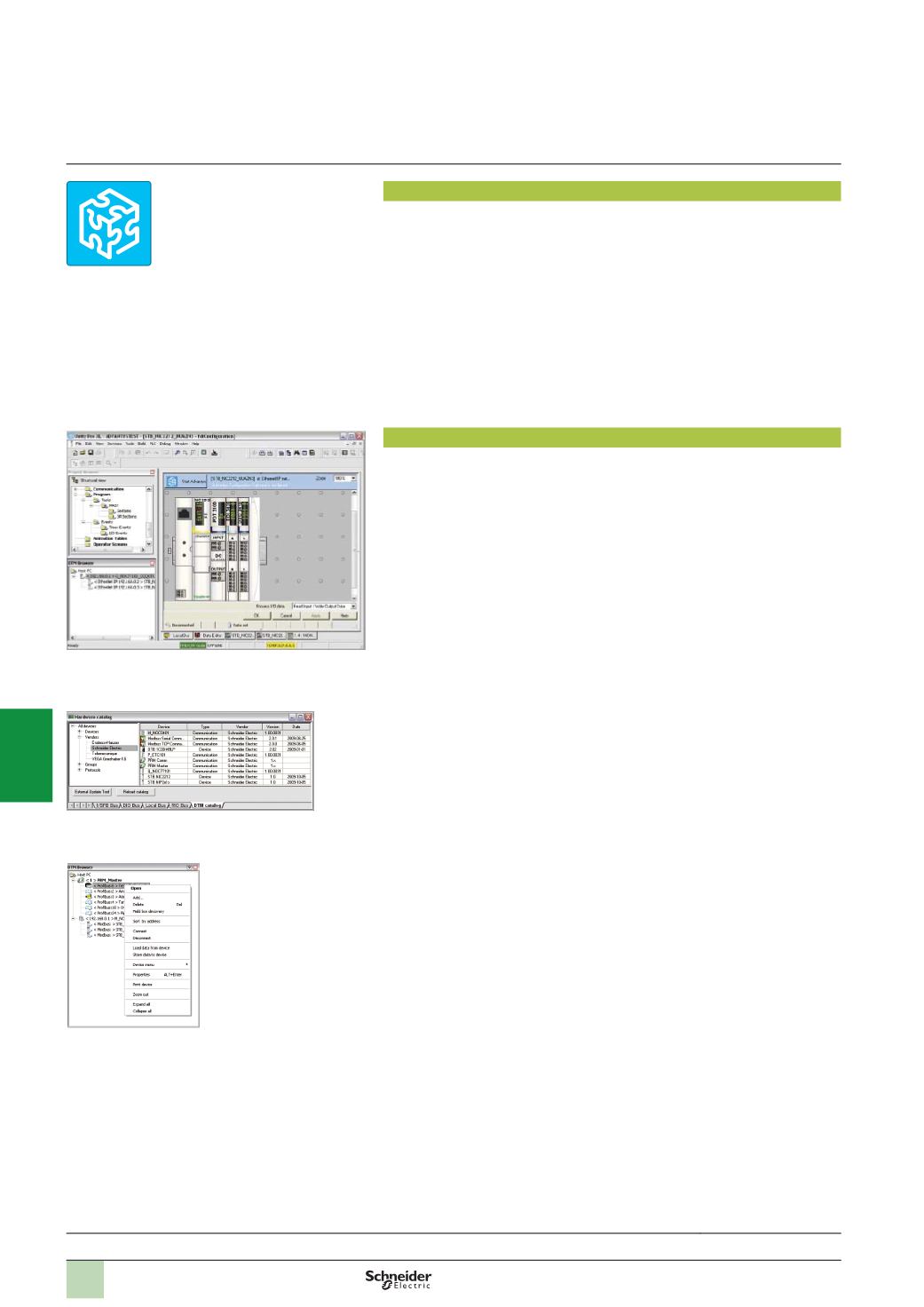
FDT/DTM function
Unity Pro facilitates integration of fieldbus architectures into engineering control
systems using FDT/DTM technology:
b
FDT
(
Field Device Tool)
is the container which supports the device DTMs.
b
DTM
(
Device Type Manager)
is the configuration tool for devices with integrated
graphic interfaces. It contains all the properties specific to each device
.
In addition to the FDT/DTM standard, Unity Pro uses specific information from the
Master DTM created for the Profibus Remote Master (PRM) module and the
Modbus/TCP and EtherNet/IP network module BMX NOC 0401.
Use of the Master DTM allows Unity Pro to perform the following actions:
b
Manage the PLC I/O scan
b
Create the application variables based on the description of the process objects
available from the connected DTM devices
b
Manage synchronization with the PLC configuration
b
Create a generic DTM from the description files (GSD or EDS)
The DTM configuration is stored in the PLC memory so that the application can be
downloaded in its entirety. It is also saved in the PLC project file (STU) and the
archive file (STA).
A third-party DTM can be installed in the DTM hardware catalogue.
The DTM hardware catalogue can be used to sort or filter the DTMs according to
various criteria such as Device, Vendor, Groups or Protocols.
The DTM Browser in Unity Pro:
b
Displays the fieldbus topologies in a tree structure
b
Allows the user to configure the DTM devices:
v
Add and delete DTMs
v
Connect and disconnect DTMs to/from their physical devices
v
Display and print the properties of a DTM
v
Transfer DTM configuration data to and from the physical device
v
Functions specific to the DTM, via the Device menu
Selection guide:
page 6/2
Unity Pro
DTM editor (Modicon STB island)
DTM hardware catalogue
DTM browser and DTM context menu
2
1
3
4
5
6
7
8
9
10