



 431 / 582

BETA Measuring
Three-Phase Measuring Devices
7
KT1 31, 7KT1 34, 7KT1 35 multicounters
11/15
Siemens ET B1 · 10/2008
11
Readout data
You can continuously display 6 measured quantities from the fol-
lowing 35 options.
All the measured values are transmitted via LAN.
Display
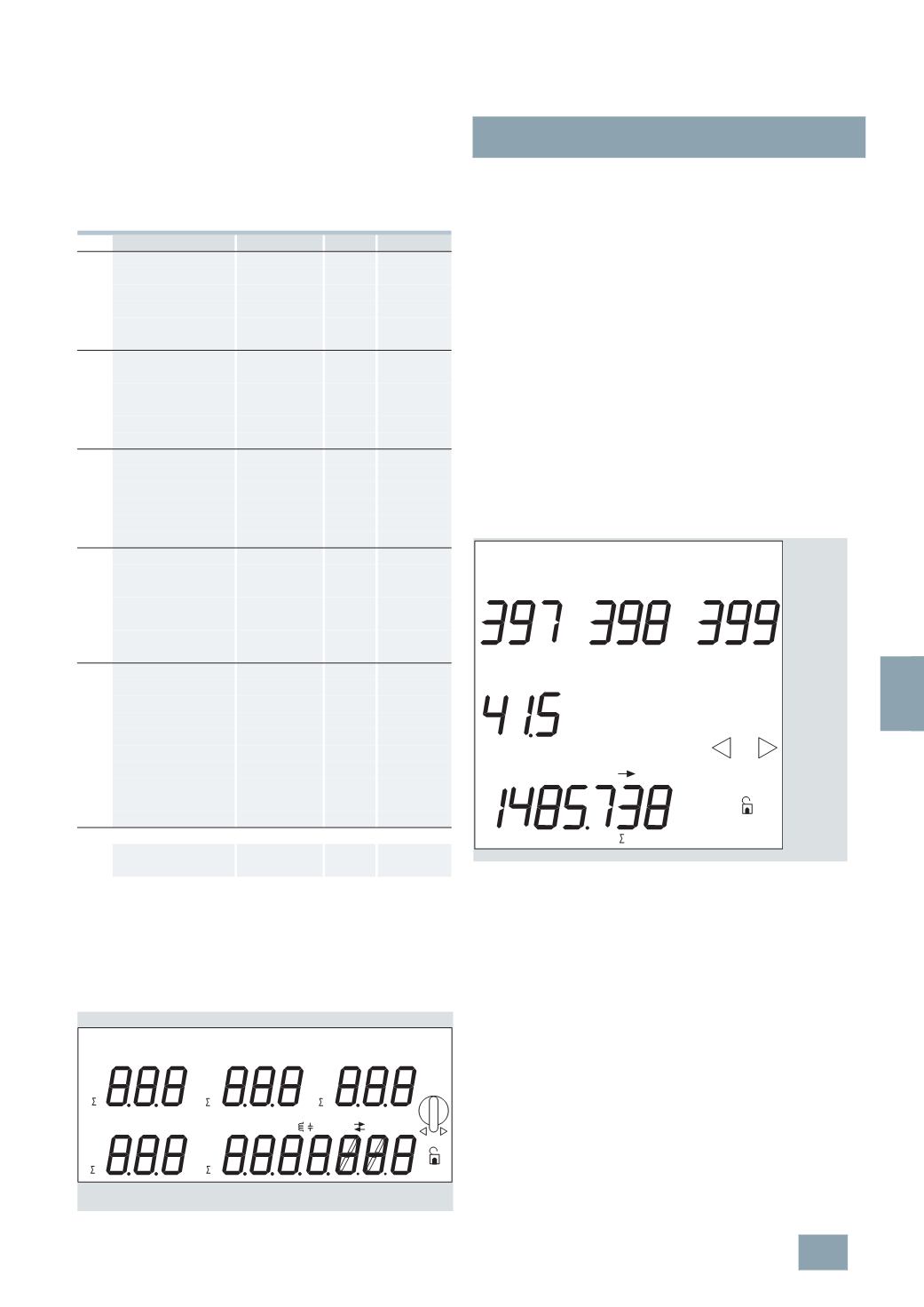
The multicounters have a covered, brightly lit LED display. The measured
values are indicated on an 11 mm high, green, 7-segment LED, the
physical units are indicated by orange text abbreviations. Both colors
are easier to recognize than the red LEDs used for conventional
displays. Capacitive loads are automatically indicated by a capacitor
symbol, inductive loads by a coil symbol – also in orange.
Matrix selection
Conventional measuring instruments display voltages, currents,
powers, etc. in a rigid sequence on several "screens". These
multicounters allow users to define their own standard for
measured quantities per display field, thus allowing more
universal and flexible application.
A special feature is the analysis of the different loads on the
phases. Phase displacement and unsymmetrical or unbalanced
loads can cause partial overloads. In this case, the multicounter
offers a range of different options to combine measured values
and assess them.
The display fields are selected using rotary pushbuttons and the
desired indications confirmed with OK. By making the horizontal
selection e.g. W, V, A or p.f., and the vertical selection, e.g. L1,
L1 – L2 or
L, users can then define the desired measured
quantities for this display field.
The vertical data on the display can be assigned to any measured
value in the horizontal data. The letters M(ega) and k(ilo) are
autom. assigned according to measuring range, i.e. measured
value, e.g. kW or MW. Capacitive loads areautomatically indicated
by a capacitor, inductive loads by a coil.
The following diagram shows an example of what your matrix
selection might look like.
No.
Measured value
Display
Unit
Assignment
1
Active power
D1
W
L1
2
Voltage
D1
V
L1
3
Current
D1
A
L1
4
Apparent power
D1
VA
L1
5
p.f.
D1
p.f.
L1
6
Voltage
D1
V
L1 – L2
7
Active power
D2
W
L2
8
Voltage
D2
V
L2
9
Current
D2
A
L2
10
Apparent power
D2
VA
L2
11
p.f.
D2
p.f.
L2
12
Voltage
D2
V
L2 – L3
13
Active power
D3
W L3
14
Voltage
D3
V
L3
15
Current
D3
A
L3
16
Apparent power
D3
VA
L3
17
p.f.
D3
p.f.
L3
18
Voltage
D3
V
L3 – L1
19
Temperature
D6
°C
–
20
Current, N-conductor
D6
A
L
21
Active power
D4
W
L
22
Reactive power
D5
var
L
23
Apparent power
D5
var
L
24
Frequency
D6
Hz
L
25
p.f.
D1, D2, D3, D6 p.f.
L
26
Active energy rate 1 D4
Wh
L
27
Active energy rate 2 D4
Wh
L
28
Active energy rate 1 D4
Wh
L
29
Active energy rate 2 D4
Wh
L
30
Reactive energy rate 1 D5
varh
L, ind.
31
Reactive energy rate 2 D5
varh
L, ind.
32
Reactive energy rate 1 D5
varh
L, cap.
33
Reactive energy rate 2 D5
varh
L, cap.
34
Apparent energy rate 1 D5
VAh
L
35
Apparent energy rate 2 D5
VAh
L
2
set values are also indicated:
36
Transformer setting D4
CT/A /5
37
Transformer setting D5
CT/A 5 ... 5000
I2_11615a
OK
M kWVAHZ
L
L1
L1-2
L
L2
L2-3
L
L3
L3-1
L
M k
CT/A
VAR h
M kWh
T 1 2
L
N
°C
M kWVA
M kWVA
M kWVA
D1
D2
D3
D6
D4
p. f.
p. f.
p. f.
p. f.
D5 or
D5 + D4
I2_10799a
V
V
V
L3 -1
L2 -3
L1 -2
OK
A
N
T 2
L
kWh
© Siemens AG 2008