




 296 / 413

6/26
Software
Unity Pro software
Unity Loader software
Presentation
Unity Loader is companion software to Unity Pro and is used to perform maintenance
operations on automation applications. Its easy setup and the small size of its
executable make it an essential tool for updating Unity Pro projects without needing
to use Unity Pro. It can also be used for updating the embedded software on
Modicon M340 modules. It performs the following main functions:
b
Transferring automation project components, such as the program and data, from
the PC to the PLC or the PLC to the PC
b
Transferring files and user Web pages stored in the memory card of Modicon
M340 PLCs
b
Transferring the firmware from the PC to Modicon M340 modules only
Software graphic interface
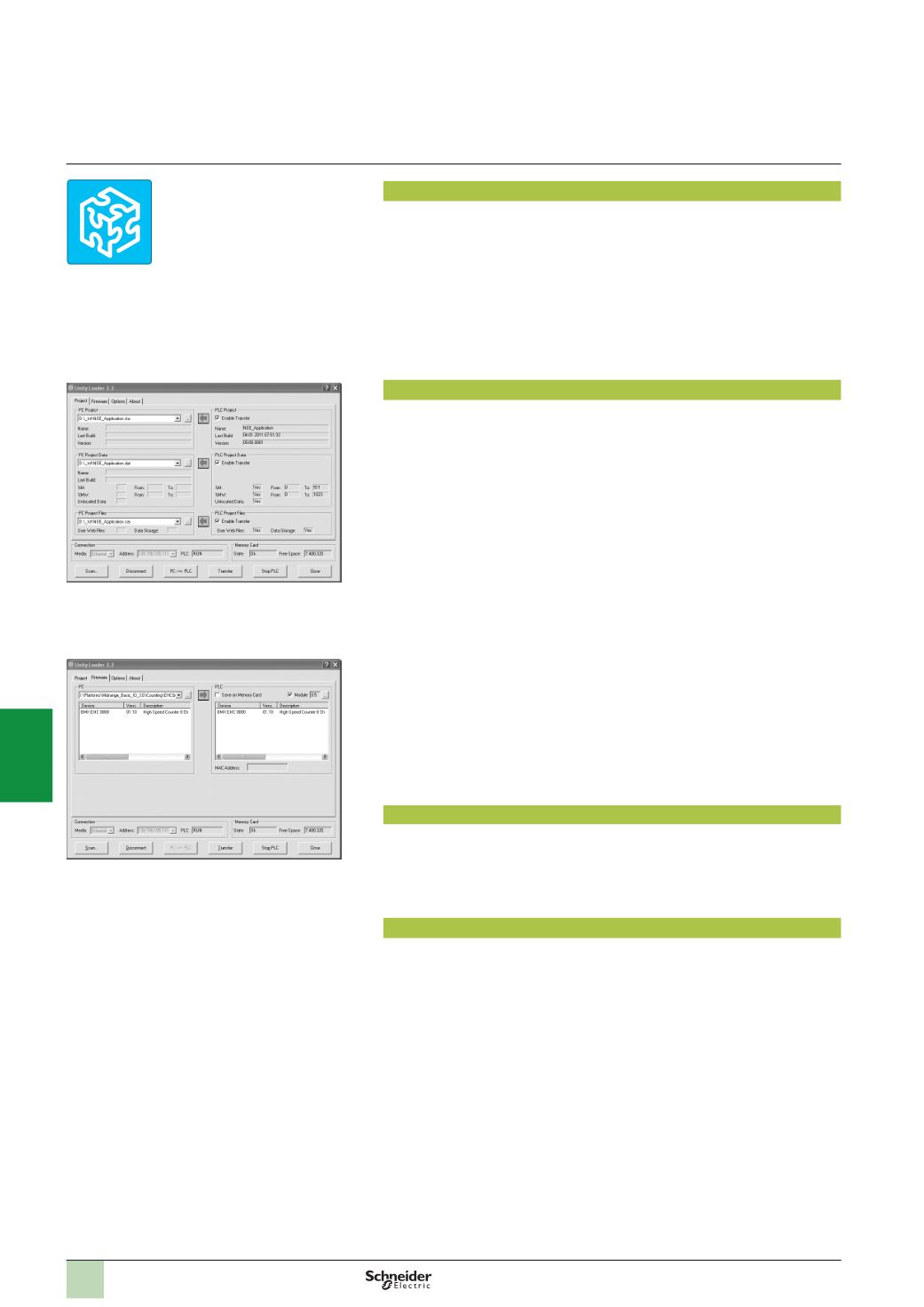
The interface is easy to use and has four tabs for access to different operations:
b
The “
Project
”
tab manages the transfer of projects (program and data) between
the PC and the PLC CPU. The software transfers the program (application file
format: .stu; archive file format: .sta) and data (located and unlocated) of a Unity Pro
project in both directions. The program and data files created by Unity Loader are
compatible with Unity Pro. When it is connected to the PLC, Unity Loader displays
the information associated with the data read in the PLC. This information is
displayed on the PC for the selected files. The user decides which project elements
will be transferred by a single command after validation of the desired transfers.
v
Modicon M340 PLCs and BMX RMS
pp
8
MFPmemory card only
:
The files and
user Web pages can be transferred from the memory card to the PC and vice versa.
v
BMX NOE 0110 with flash memory card only
:
Web pages stored in the flash
memory can be transferred from the module to the PC and vice versa.
b
The “
Firmware
”
tab can be used to update the firmware in the Modicon M340
modules. The screen displays the detailed content of the firmware versions existing
in the module and on the PC. Firmware updating works in the same way as project
transfers.
b
The “
Options
”
tabs is used to configure the working environment, especially the
location of files on the PC and the selection of one of the six languages supported
(
English, French, German, Italian, Spanish and Chinese) for the user interface and
online help.
b
The “
About…
”
tab displays information about the software.
Note:
Regardless of which tab is selected, the connection status with the PLC is always displayed,
together with commands for connection/disconnection and changing the PLC operating mode.
Modicon M340 PLC and BMX RMS
pp
8
MFP memory card only
The Unity Loader software can download the project files and the firmware (PLC or
module) onto a flash memory card (
BMX RMS
pp
8
MFP
only) plugged into the
processor of the PLC.
This firmware download can then be used to update a remote Modicon M340 PLC.
Automation of Unity Loader commands
Projects can be downloaded/uploaded between a PLC and a supervisory station
equipped with Unity Loader software by means of a command file included in the
supervisory application.
Presentation
Unity Loader
Unity Loader: Project tab
Unity Loader: Firmware tab
2
1
3
4
5
6
7
8
9
10