




 292 / 413

6/22
Presentation
Unity EFB Toolkit is the software for developing EFs and EFBs in “C” programming
language. As an option with Unity Pro, it can be used to extend all the standard Unity
Pro function blocks in order to increase functionality. This software comes with
Microsoft Visual Studio
,
which can be used to debug the function blocks developed
in the Unity Pro PLC simulator. Unity EFB Toolkit also includes a service for creating
and managing families of function blocks and integrating them in Unity Pro.
Setup
Unity EFB Toolkit manages the whole process of developing Unity Pro function blocks:
b
User-friendly graphical user interface with automatic file organization
b
Powerful tools for testing and debugging
b
Management of compatibilities and software versions of created functions
b
Generation of files for subsequent installation of functions on other Unity Pro
stations
Managing function block families
The software can be used to create function block families. The function blocks
developed, also known as EFs/EFBs, are stored in families. This makes it possible to
create an organized library of functions written in “C” language. Once created, these
function block families are installed on the Unity Pro stations for the purpose of
extending the standard Unity Pro libraries. Integration in Unity Pro can be executed
from Unity EFB Toolkit or via the tool for updating Unity Pro libraries, which allows
these families to be distributed without the use of any other software.
Developing function blocks
The EFB Toolkit software allows the user to create a function block as follows:
b
Declaration of the function block interface in the same way as for the DFBs in
Unity Pro
b
Definition of all data types needed (elementary, structures, tables)
b
Support of public and private variables
b
Generation of all files and the block “C” coding frame (the user only adds
functionality to this frame)
b
Granting of access to numerous internal PLC services, such as the real-time
clock, PLC variables and data, system words and math functions, including
high-precision numerical processing in “double” format
b
Structure of the function block family (compilation/link for all Unity Pro automation
platforms)
b
Provision of a debugging environment: The function blocks created can easily be
debugged in
Microsoft Visual Studio
by downloading a Unity Pro application containing
the function developed in the Unity Pro PLC simulator. All the debugging functions in
Microsoft Visual Studio
,
especially breakpoints, step-by-step operations, display of the
code/data and manipulation of the data, can be accessed without restriction.
b
Support for managing Unity Pro versions, important during the function block
maintenance phase
Note
:
A specific GNU compiler is used to generate the code for a Modicon M340 platform. It is
supplied with the Unity EFB Toolkit.
Compatibility
Unity EFB Toolkit is compatible with Unity Pro Small, Medium, Large and Extra Large.
EFs and EFBs can be developed for Premium, Modicon M340 and Quantum
platforms.
Presentation,
setup
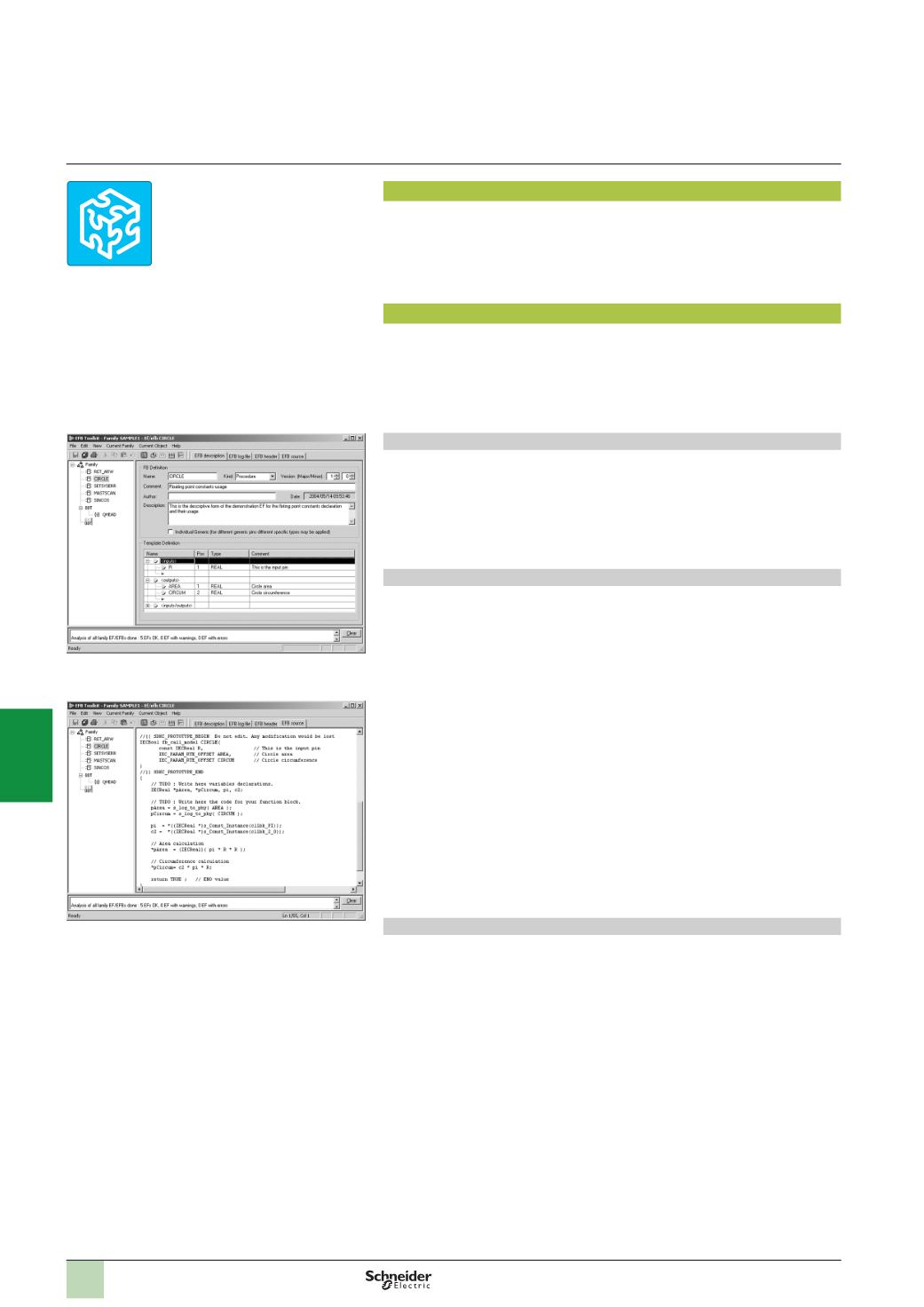
EFB Toolkit: Managing function block families
EFB Toolkit: Editor
Software
Unity Pro software
Unity EFB Toolkit software
Unity EFB Toolkit
2
1
3
4
5
6
7
8
9
10