




 153 / 413

5/19
Modicon PLC standard Web services
(
continued)
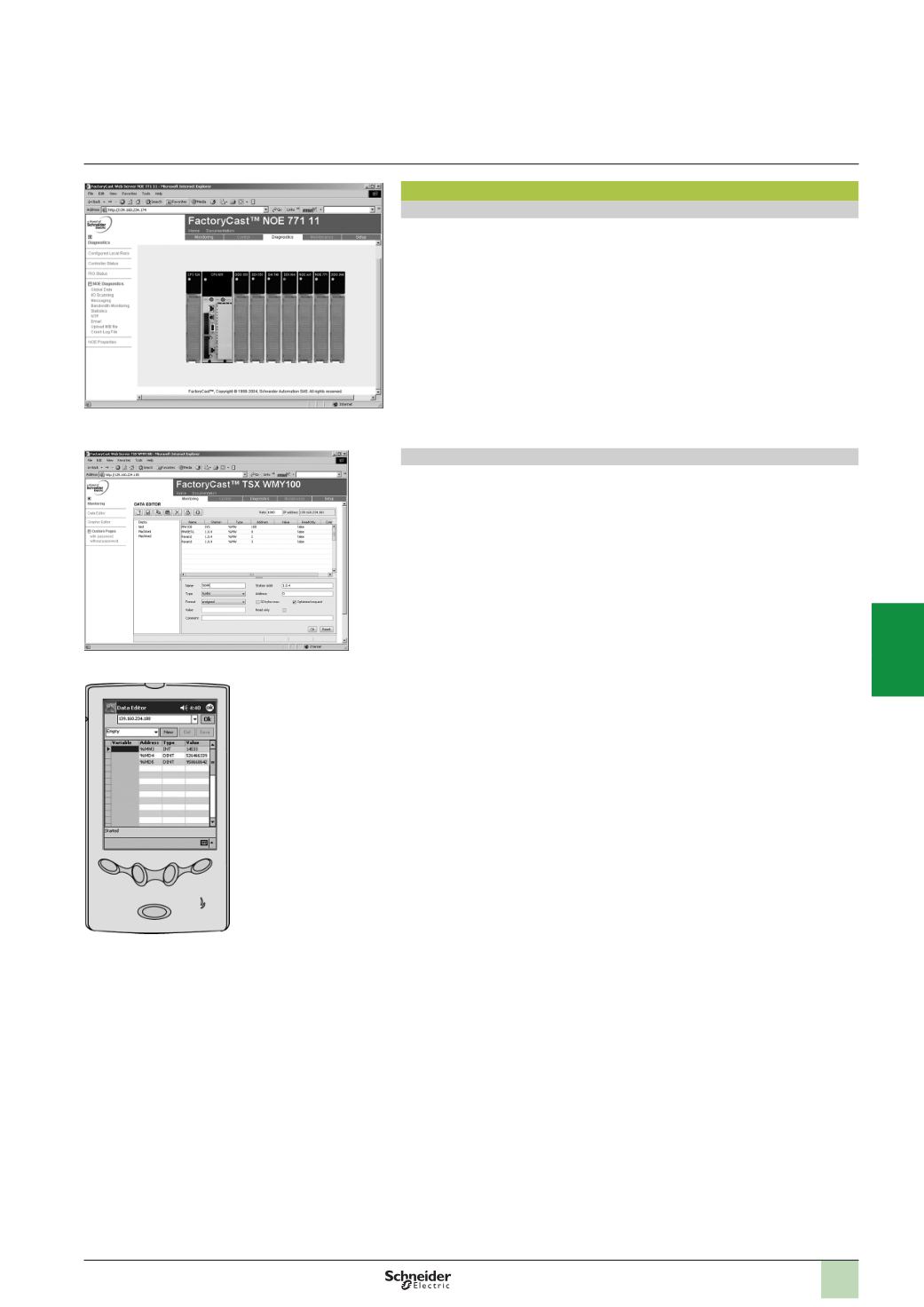
Rack Viewer PLC diagnostics function
The Rack Viewer function can be used for PLC system and I/O diagnostics. It
displays the following in real time:
b
LED status on the front panel of the PLC
b
The PLC type and version
b
The hardware configuration of the PLC including the status of the system bits and
words
b
Detailed diagnostics of each I/O module channel or application-specific channel
in the configuration
Data Editor read/write function for PLC data and variables
The Data Editor function can be used to create tables of animated variables for
real-time read/write access to lists of PLC data.
Several animation tables, containing specific application variables to be monitored or
modified, can be created by the user and saved in the standard Web server module.
In addition to the functions provided by standard Web servers, FactoryCast Web
servers offer the following:
b
Variables to be displayed can be entered and displayed using their symbols
(
S_Pump 234) or their addresses (%MW99)
b
The write access option for variables, which can be enabled or disabled for each
of the variables using the FactoryCast configuration software
b
The read/write function, which can be used on tools such as a pocket PC or PDA
terminal
Quantum hardware configuration
Functions
(
continued)
Modicon Premium automation
platform
Ethernet Modbus/TCP network
Modicon PLC standard Web services
PDA terminal
Data Editor variables table
2
1
3
4
5
6
7
8
9
10