


 532 / 759

 mkelectric.co.uk
532
Minimum Brightness Adjustment for LED Intelligent Dimmers
The light output of some LED lamps may appear to be too dim or invisible when the dimmer knob is at the minimum dim level. Follow the
steps below to adjust the minimum brightness level. This feature is primarily for adjusting the minimum brightness level of the LED lamp
although it can be used for other load types.
For a double gang dimmer, the light level of each gang has to be adjusted separately.
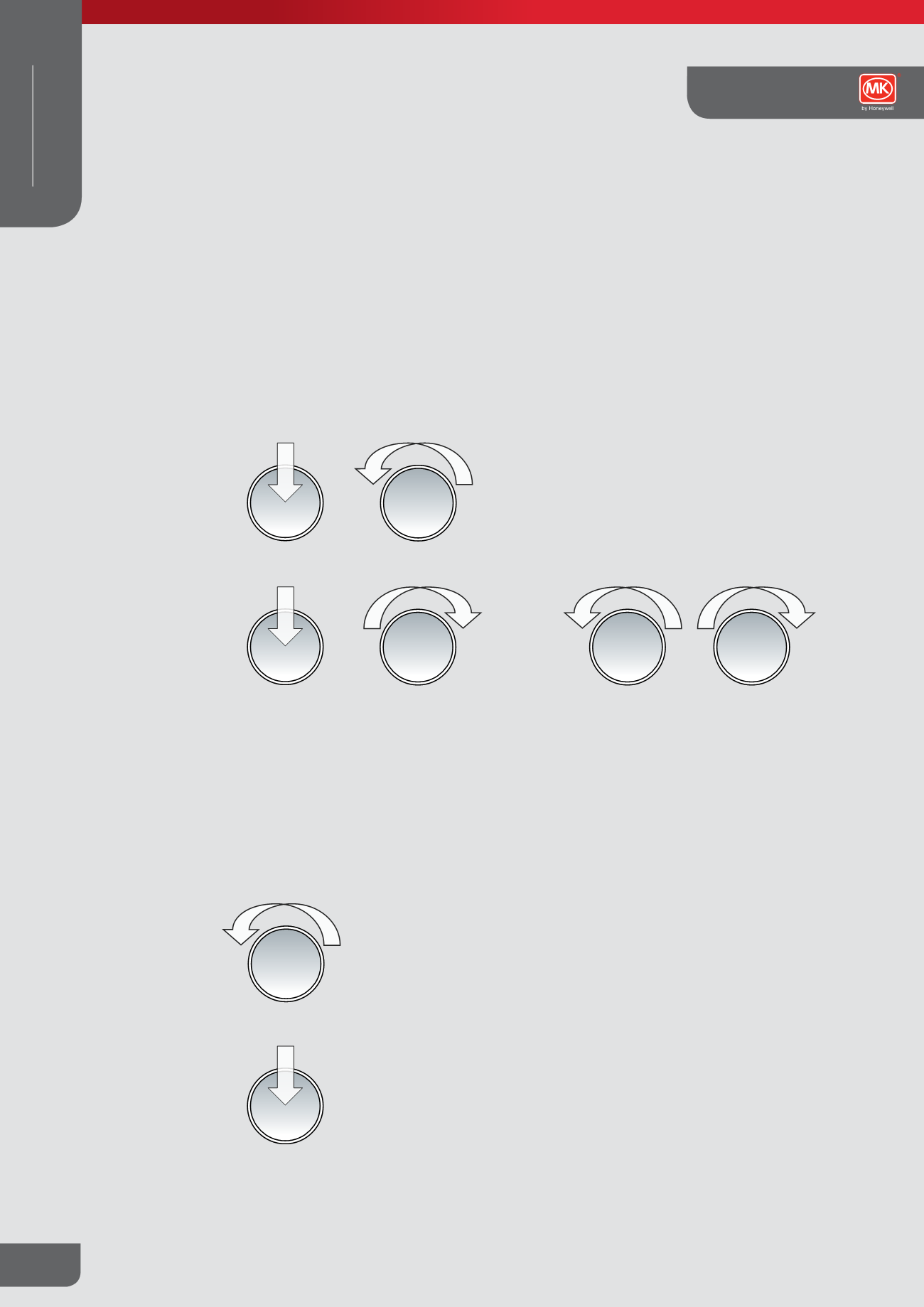
Step 1 – Access To Programming Mode
1.
Push the dimmer knob so that it is in OFF state.
2.
Set the dimmer knob to minimum level.
Push to
switch OFF
Min
Push to
switch ON
Max
Min
Max
Min
Turn anticlockwise to adjust
the brightness level.
Push to
switch OFF
3.
Turn on the dimmer and immediately rotate the knob 3 times in full rotary span within 5 seconds.
6.
Confirm the new setting and exit programming mode by turning OFF the dimmer.
NOTE: Wait for 3 seconds, the lamp will then dim to minimun before automatically brightening to about 30% level. Turning/pushing the dimmer
knob before the end of automatic brightening will end access to programming mode
4.
Dimmer enters programming mode.
Step 2 – Adjust Brightness Level and Exit Programming Mode
5.
Rotate the dimmer knob anticlockwise to adjust the lamp to the desired brightness level.
NOTE: Some LED lamps may not work properly if the brightness level is set too low thus it is recommended to keep the brightness level of
the lamp at a visible level. The dimmer will exit programming mode automatically without saving the new setting if there is no dimmer knob
movement for 15 seconds. The dimmer will restore its factory default light level.
Step 3 – Success indication (Programming Complete)
7.
The next time the dimmer is turned on the lamp will automatically brighten to the maximum level before dimming to the brightness
level corresponds to the knob level.
Grid Plus Technical
WIRING DEVICES
MODULAR