




 166 / 413

5/32
Functions
(
continued)
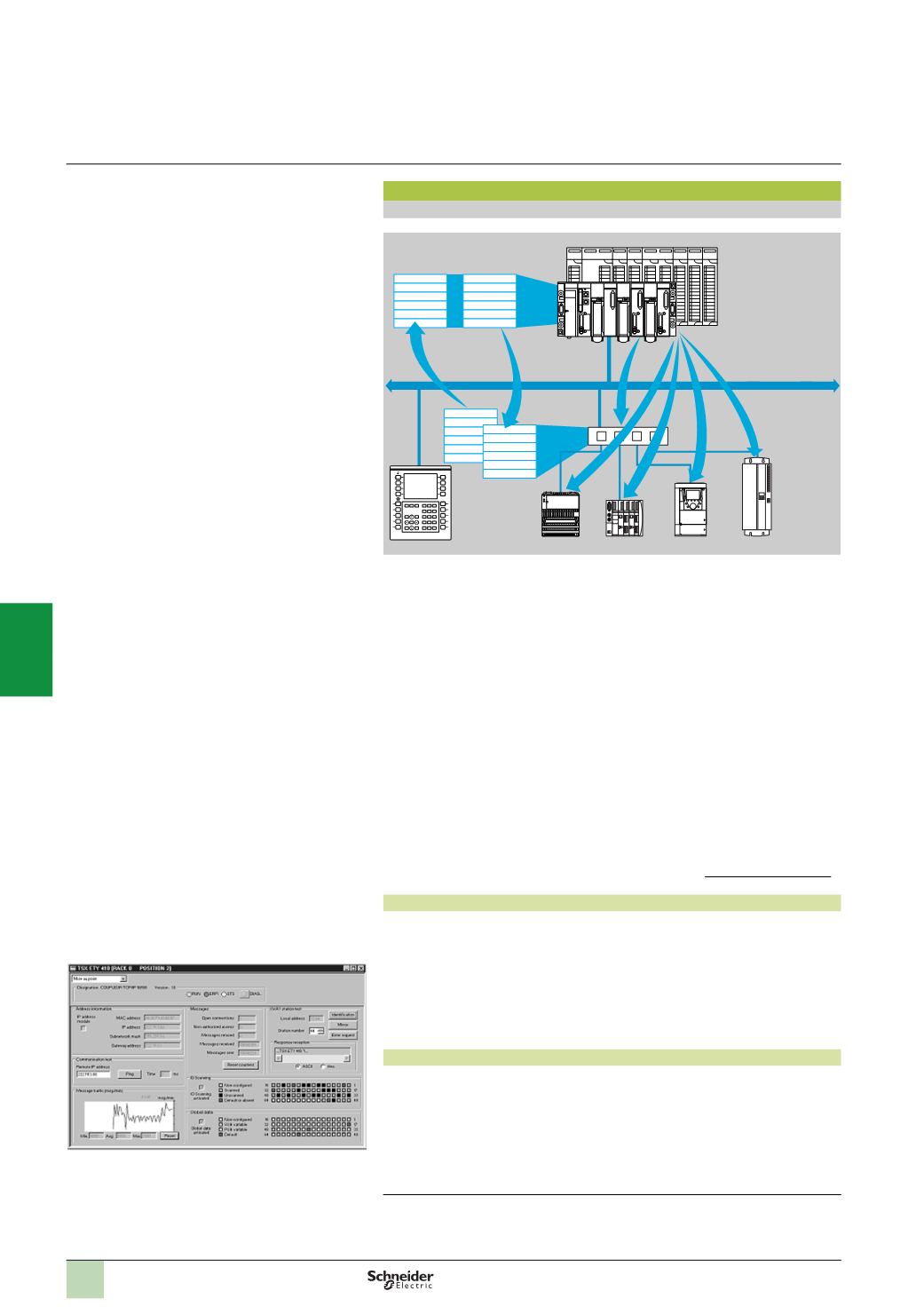
I/O Scanning service
The I/O Scanning Service is used to manage the exchange of remote I/O states on
the Ethernet network after simple configuration, with no need for any special
programming.
I/O scanning is performed transparently by means of read/write requests according
to the Modbus client/server protocol on the TCP/IP profile.
This principle of scanning via a standard protocol enables communication with any
device supporting Modbus TCP messaging in server mode.
This service can be used to define:
b
A%MW word zone reserved for reading inputs
b
A%MW word zone reserved for writing outputs
b
Refresh periods independent of the PLC scan
During operation, the module:
b
Manages TCP/IP connections with each remote device
b
Scans devices and copies the I/O to the configured %MW word zone
b
Feeds back status words used to check that the service is working correctly from
the PLC application
b
Applies pre-configured fallback values if a communication problem occurs
A range of hardware and software products is available enabling the I/O Scanning
protocol to be implemented on any type of device that can be connected to the
Ethernet network. Please consult the Modbus-IDAwebsite:
www.modbus-ida.org.
Characteristics
b
Under Unity Pro software, each station can exchange a maximum of:
v
100
write words
v
125
read words
b
Maximum size in the PLC managing the service:
v
2
Kwords %MW
(1)
in inputs and 2 Kwords %MW
(1)
in outputs with manager
PLC limited to 64 stations
v
4
Kwords %MW
(1)
in inputs and 4 Kwords %MW
(1)
in outputs with manager
PLC limited to 128 stations
I/O Scanning service diagnostics
I/O Scanning service diagnostics can be performed in one of five ways:
b
Via the application program from a specific PLC data zone
b
From the setup software debug screen
b
From the PLC system diagnostic function displayed by means of a web browser
on a PC station
b
Using the
TSX EAZ 01P SFE10
ConneXview diagnostic software
b
Using standard SNMP network management software
(1)
or 4x registers with Concept or ProWORX.
INPUT
OUTPUT
+
–
INPUT
OUTPUT
+
–
A
B
A
B
Word table
Read
Write
Ethernet
Modbus/TCP
Device
input words/
output words
Functions
(
continued)
Modicon Premium or
Modicon Quantum
platform with I/O Scanner
function (Transparent
Ready class
p
30)
Device with
Modbus/TCP
messaging in
server mode
I/O Scanning service diagnostics
Modicon Premium automation
platform
0
Ethernet Modbus/TCP network
Ethernet Modbus/TCP communication services
2
1
3
4
5
6
7
8
9
10