




 335 / 413

6/65
Setup
3
Setup
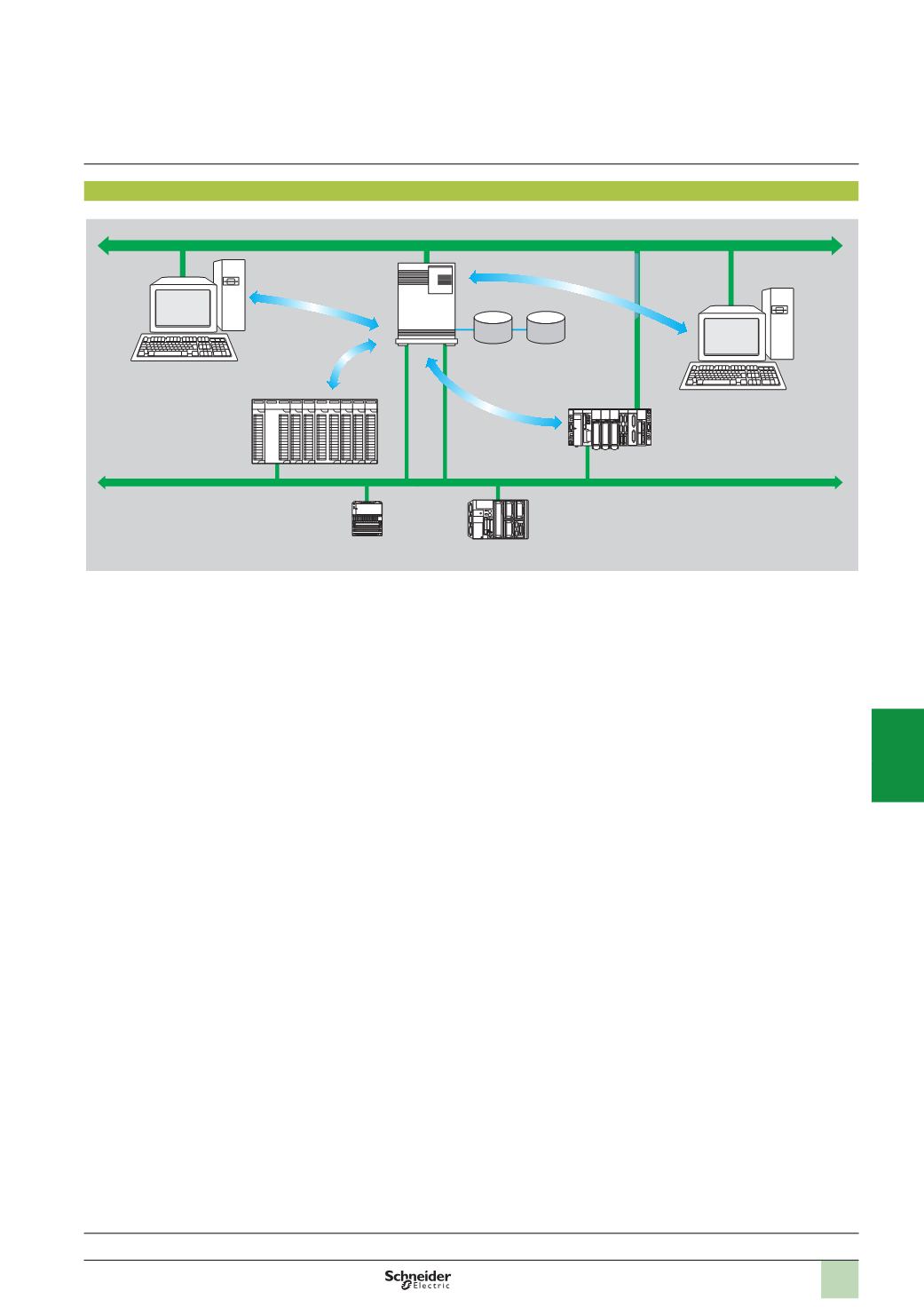
The OFS server
1
is at the centre of the data exchanges. It ensures that variables
exchanged between the OPC client
2
and the PLC
3
are consistent,
in one of three
ways using a symbol (or variables) database:
b
The variables database is either the Unity Pro project
4
or the Concept project.
In both these cases, Unity Pro or Concept needs to be installed on the OFS server
station.
b
Or the variables database is an export file (SCY for PL7, XVM for Unity Pro). PL7
and Unity Pro are not required in either of these cases.
b
Or the variables database is the PLC itself. In this case neither Unity Pro nor an
export file is needed. This does not apply to Momentum and TSX Micro PLCs.
If an inconsistency is detected (following online modification of the PLC program for
example), OFS resynchronizes itself automatically as a background task, without
breaking communication between the PLC and the OPC client.
For this function the following minimum versions are required:
v
OFS V3.35
v
Unity Pro V6.0
v
Modicon Premium V2.9, M340 V2.3 and Quantum V3.0 PLCs
1
Ethernet Modbus/TCP
OFS server
(
V3.0)
Database
Symbols.xvm (Unity Pro)
Symbols.prj (Concept)
Symbols.scy (PL7)
3
Premium
3
TSX Micro
3
Momentum
3
Quantum
Ethernet Modbus/TCP
4
Unity Pro
project
station
2
OPC client
Software
3
OPC data server software
OPC Factory Server
Presentation:
pages 6/62
Functions:
page 6/66
References:
page 6/67
2
1
3
4
5
6
7
8
9
10