


 7 / 24

7
1
2
3
4
5
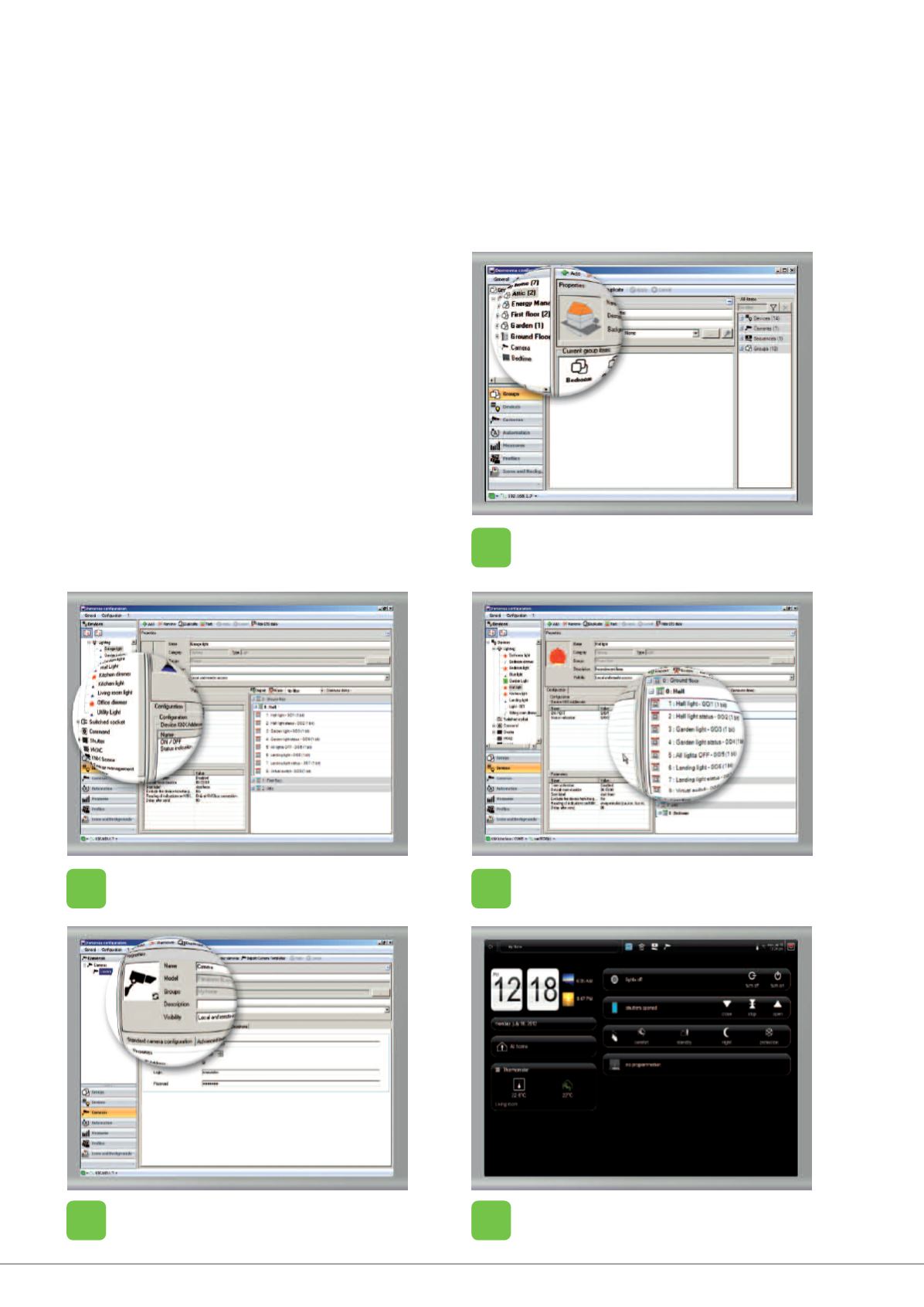
Starting conditions: A KNX System must
be available for configuration of tebis KNX
domovea.
First specify the building or group structure.
Next, define the devices to be used and assign them
to the corresponding rooms or groups.
Now create the IP cameras, if available, and specify
which bus events will cause the camera images to be
displayed, for example.
Now the ETS or TX100B data is imported and the
group addresses are assigned by dragging and
dropping the objects.
Finally, save all the data. The user can now open the
client and use the intuitive user interface.