


 10 / 24

10
The automated house presented on a "Tablet"
Intuitive visualisation and control
Your customer is now in control! All the available tebis KNX functions can be obtained using the attractive
user interface with its contemporary look, whether using a fingertip on a tablet computer or touch panel
or using a mouse on a conventional home computer. The eye-catching icons can be understood
immediately and intuitively operated. Thus tebis KNX domovea not only extends the possibilities for
your customers but, above all, it simplifies them. Put another way, tebis KNX domovea can do more,
and your customers can do less.
From scenario to sequence
With tebis KNX domovea, you can call up complex scenarios
very easily. Here, one command entered by the user
simultaneously triggers several other commands.
For example, the "Leaving home" scene switches all the lights
off, closes the roller shutters and drops the temperature to an
energy-saving 18 degrees. However, tebis KNX domovea
goes further: Using logic sequences, chronological processes
can be configured. By editing these processes, the user can
at any time stop, alter or delete a sequence.
From device to house
In addition, your customer not only has the individual
functions at their fingertips but, if desired, the entire house.
By activating the "House status" the entire property is
transformed into the desired target state. Alongside the
classic "At home" status, you can configure up to seven
further modes, as required: e.g. "short absence", "long
absence", "monitoring mode", "night mode", "guest mode",
"do not disturb mode" and finally "manual shutdown".
Everything at a glance
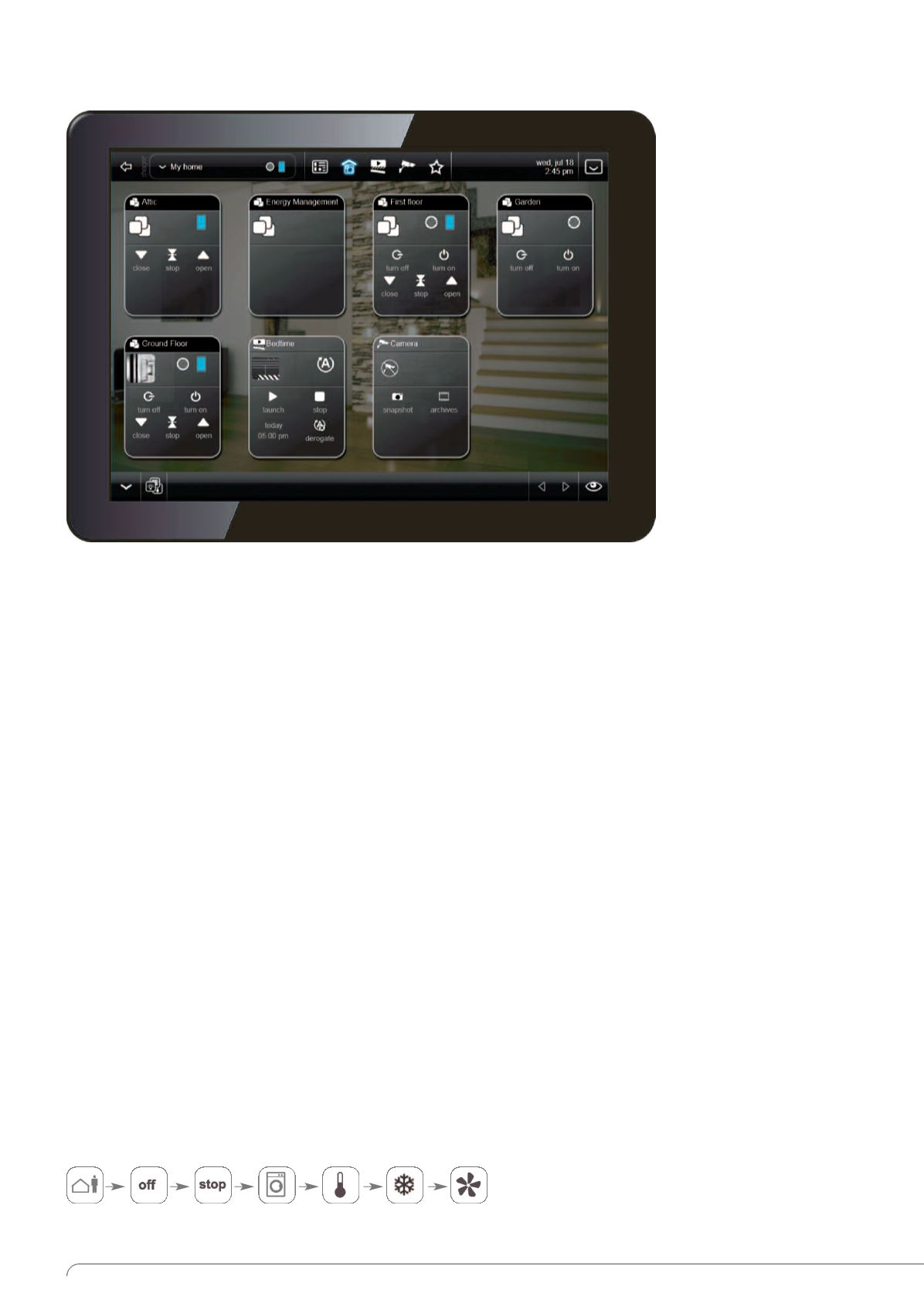
In the house overview, the
individual floors and rooms
appear as virtual function
rooms. Central applications
such as lighting and roller
shutter and blind controls
can be applied and controlled
at this level using simple
icons. The central functions
are created automatically.